---
title: "FNF Sparrow XML Setup for Psych Engine"
description: "Set up a Sparrow XML sheet in Friday Night Funkin and Psych Engine: file placement, imagePath, animation prefixes, offsets and fixes for broken animations."
canonical_url: "https://spritesheetgenerator.online/engines/fnf"
meta:
author: "Dennis Postma"
"og:description": "Set up a Sparrow XML sheet in Friday Night Funkin and Psych Engine: file placement, imagePath, animation prefixes, offsets and fixes for broken animations."
"og:image": "https://spritesheetgenerator.online/og-image.png"
"og:image:alt": "Spritesheet Generator editor showing sprites arranged on a sheet grid"
"og:title": "FNF Sparrow XML Setup for Psych Engine"
"twitter:image": "https://spritesheetgenerator.online/og-image.png"
"twitter:image:alt": "Spritesheet Generator editor showing sprites arranged on a sheet grid"
---
> Index of every page on this site: [llms.txt](https://spritesheetgenerator.online/llms.txt)
FNF & SparrowMetadata export
# **Load a Sprite Sheet into FNF and Psych Engine**
**How the Sparrow XML export lands in a Friday Night Funkin mod: where the files go, how animation prefixes are matched, and what to check when a pose will not play. Starling and HaxeFlixel read the same file.**
[Need the sheet first? Use the FNF sprite sheet maker](https://spritesheetgenerator.online/fnf-sprite-sheet-maker)
What you export
**Format menu**
**Sparrow / Starling XML**
Sparrow TextureAtlas (.xml)
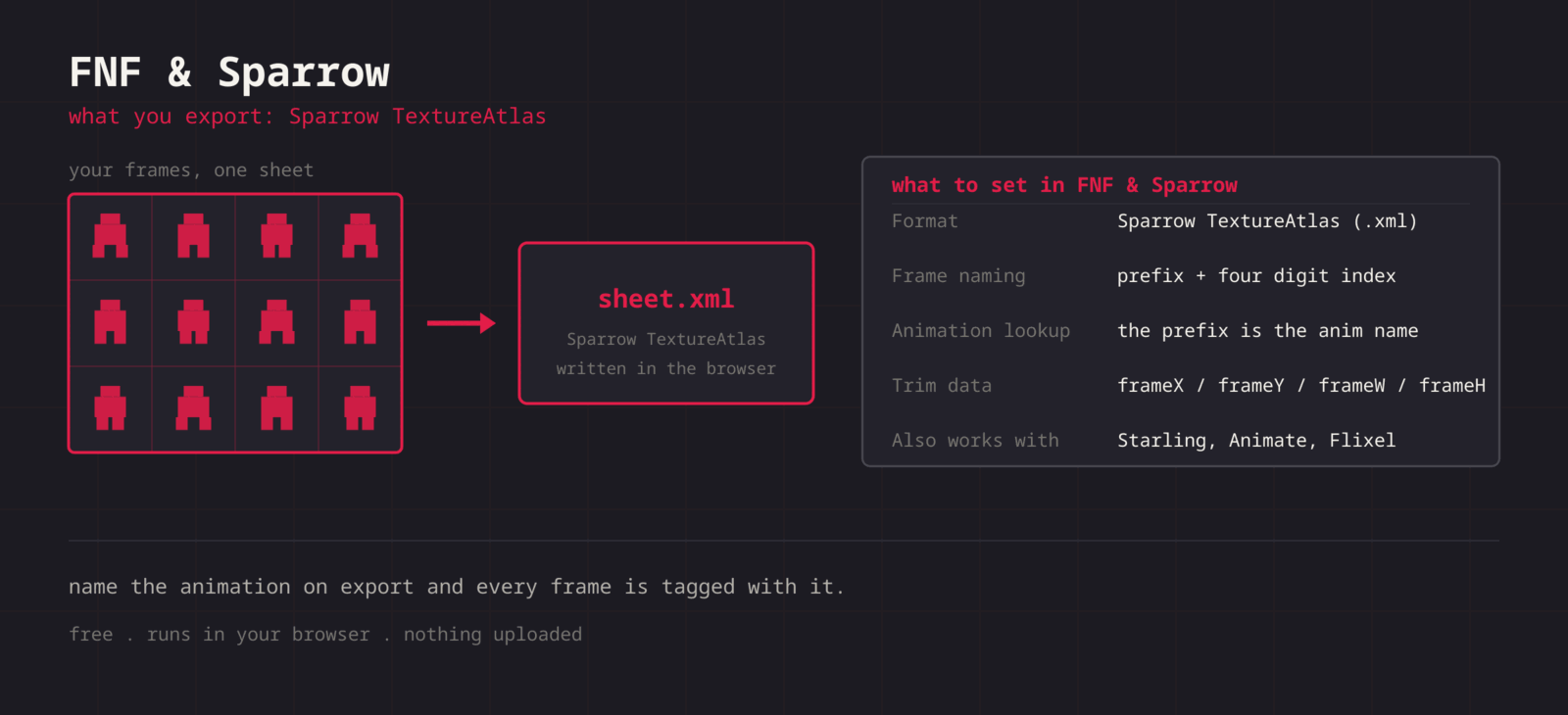
**Sparrow has no animation list. Frames belong to an animation because their names start with the same prefix and end in a four digit index, so idle0000, idle0001 and up are all idle. The Format dialog has an Animation name field, filled in from the active layer name, and the XML names every frame with it. Only letters, digits, underscores, and hyphens are kept, so a base-game style name with spaces comes out without them. When Trim Transparent is on, each frame also gets frameX, frameY, frameWidth, and frameHeight.**
Step by step
## **Getting the sheet into FNF & Sparrow**
1. **1**### **One animation per sheet**
Keep frames in playback order. One sheet per animation maps cleanly onto one name.
2. **2**### **Name the layer**
Rename the active layer to the animation name, for example singLEFT. The Format dialog picks it up.
3. **3**### **Export the XML**
Click Format, check the Animation name field, then choose Sparrow / Starling XML. The ZIP holds spritesheet.png and spritesheet.xml with frames named singLEFT0000 and up.
4. **4**### **Drop into the mod**
Rename both files to the character name, put them side by side in the character images folder, and update imagePath in the XML if you renamed the PNG.
5. **5**### **Set the offsets**
If a pose sits too high or too far left, fix it with the animation offsets in the character file rather than editing the sheet.
Sparrow XML
```
```
Cheat sheet
| **Setting** | **FNF & Sparrow value** |
| --- | --- |
| **Frame naming** | name + four digit index (idle0000) |
| **Format** | Sparrow TextureAtlas (.xml) |
| **Animation lookup** | By frame name prefix, case sensitive |
| **Allowed characters** | Letters, digits, \_ and - |
| **Also read by** | Starling, HaxeFlixel |
Built for the workflow
### **You name the animation**
Type the name at export time, or let it come from the layer name, and frames come out as idle0000 or singLEFT0000 without a rename pass.
### **Read existing sheets**
The Splitter reads Sparrow XML, so you can pull an existing character sheet apart, edit it, and export a fresh XML.
### **Recolour variants**
Hue and saturation controls make an alt-colour version of a character without repainting every frame.
Troubleshooting
## **When the sheet fights FNF & Sparrow**
### **The mod reports that an animation was not found**
- **Cause**
- The prefix in the XML does not match the name the character file asks for, usually a casing difference or spaces the export removed.
- **Fix**
- **Open the XML and compare the SubTexture names with the character file. Change whichever side is easier; both are plain text.**
### **One animation plays frames from another**
- **Cause**
- Flixel matches by prefix, so a name that is the start of another name, such as singLEFT and singLEFTmiss, collects both sets of frames.
- **Fix**
- **Give each animation a name that is not the start of another one, for example singLEFT_hit and singLEFT_miss.**
### **Frames play in the wrong order**
- **Cause**
- Readers sort frames by the number at the end of the name, so a gap or an uneven index width breaks the sequence.
- **Fix**
- **Let the export write the indexes. If you hand-edit the XML, keep four digits on every entry and keep the numbering contiguous from 0000.**
### **The atlas loads but no image appears**
- **Cause**
- imagePath at the top of the XML still names spritesheet.png after you renamed the image.
- **Fix**
- **Edit the imagePath attribute to the new file name. It is one line at the top of the file.**
### **The character is tiny next to the others**
- **Cause**
- Base game characters are drawn at a much higher resolution than most pixel-art sheets.
- **Fix**
- **Scale the character in the character file rather than upscaling the sheet, and turn antialiasing off for pixel art so the scaled pixels stay sharp.**
### **Only the first animation works after merging several XMLs**
- **Cause**
- The merged file has more than one TextureAtlas root element, or two animations share a prefix.
- **Fix**
- **Keep a single TextureAtlas root with every SubTexture inside it, and give each animation a distinct name.**
Versions and edge cases
## **Versions and edge cases**
- **FNF base game and Psych Engine**
- Both load Sparrow atlases through HaxeFlixel and pick an animation by frame name prefix. In Psych Engine, the prefix goes in the animation name field of the character editor, and offsets are set per animation in the same place.
- **Starling and HaxeFlixel**
- Sparrow is the Starling texture atlas format, and HaxeFlixel reads it with FlxAtlasFrames.fromSparrow. The file works outside the modding scene as is.
- **Adobe Animate**
- Animate can publish sprite sheets in the Starling format, which is why many FNF sheets look like Animate output. This export writes that plain Sparrow form, not the newer Animate texture atlas with Animation.json.
FNF & Sparrow FAQ
###
###
###
**More detail in the **[**related guide**](https://spritesheetgenerator.online/guides/import-sprite-sheets-game-engines)**, or compare **[**every export format**](https://spritesheetgenerator.online/features/export-formats)**. **
Other engines
[**Unity**](https://spritesheetgenerator.online/engines/unity "Export a PNG grid with a .meta file that imports it already sliced.") [** Godot**](https://spritesheetgenerator.online/engines/godot "Export a SpriteFrames .tres and assign it to an AnimatedSprite2D.") [** Phaser**](https://spritesheetgenerator.online/engines/phaser "Export a TexturePacker-format JSON atlas and load it with this.load.atlas.") [** PixiJS**](https://spritesheetgenerator.online/engines/pixijs "The same JSON atlas, parsed by Assets.load into a Spritesheet.") [** GameMaker**](https://spritesheetgenerator.online/engines/gamemaker "Export a uniform PNG and split it with Convert to Frames.") [** Construct 3**](https://spritesheetgenerator.online/engines/construct "Export a uniform PNG and import it with Import frames > From sprite strip.") [** Defold**](https://spritesheetgenerator.online/engines/defold "Export a PNG with a Tile Source whose size and animation are already set.") [** Tiled**](https://spritesheetgenerator.online/engines/tiled "Export a .tsj tileset with columns, tile size, and count filled in.")
## **Export for FNF & Sparrow**
**Load your frames, check the loop in the Preview tab, then export. For FNF & Sparrow that means: Sparrow TextureAtlas (.xml).**
[Open the editor](https://spritesheetgenerator.online/editor) [**All engines**](https://spritesheetgenerator.online/engines)
```json
{"@context":"https://schema.org","@graph":[{"@id":"https://spritesheetgenerator.online/#website","@type":"WebSite","description":"Free online tool to create spritesheets for game development. Upload sprites, arrange them, and export as a spritesheet with animation preview.","name":"Spritesheet Generator","url":"https://spritesheetgenerator.online/","publisher":{"@id":"https://spritesheetgenerator.online/#identity"}},{"@id":"https://spritesheetgenerator.online/engines/fnf#webpage","@type":"WebPage","description":"Set up a Sparrow XML sheet in Friday Night Funkin and Psych Engine: file placement, imagePath, animation prefixes, offsets and fixes for broken animations.","name":"FNF Sparrow XML Setup for Psych Engine","url":"https://spritesheetgenerator.online/engines/fnf","breadcrumb":{"@id":"https://spritesheetgenerator.online/engines/fnf#breadcrumb"},"isPartOf":{"@id":"https://spritesheetgenerator.online/#website"},"potentialAction":[{"@type":"ReadAction","target":["https://spritesheetgenerator.online/engines/fnf"]}],"primaryImageOfPage":{"@id":"https://spritesheetgenerator.online/#logo"}},{"@id":"https://spritesheetgenerator.online/#identity","@type":"Organization","description":"A free, browser based sprite sheet generator for 2D game developers and pixel artists.","name":"Spritesheet Generator","url":"https://spritesheetgenerator.online","logo":{"@id":"https://spritesheetgenerator.online/#logo"},"sameAs":["https://discord.gg/2vvfqwn5k7"]},{"@id":"https://spritesheetgenerator.online/engines/fnf#breadcrumb","@type":"BreadcrumbList","itemListElement":[{"@type":"ListItem","name":"Home","item":"https://spritesheetgenerator.online","position":1},{"@type":"ListItem","name":"Engines","item":"https://spritesheetgenerator.online/engines","position":2},{"@type":"ListItem","name":"FNF & Sparrow","item":"https://spritesheetgenerator.online/engines/fnf","position":3}]},{"@id":"https://spritesheetgenerator.online/engines/fnf#/schema/question/1","@type":"Question","inLanguage":"en","name":"What name should I use for an FNF character animation?","acceptedAnswer":{"@type":"Answer","text":"The prefix your character file asks for, exactly. Prefixes are case sensitive, so singLEFT and singleft are different animations."}},{"@id":"https://spritesheetgenerator.online/engines/fnf#/schema/question/2","@type":"Question","inLanguage":"en","name":"Why did my animation name lose its spaces?","acceptedAnswer":{"@type":"Answer","text":"The export keeps only letters, digits, underscores, and hyphens, so \"BF idle dance\" becomes BFidledance. Use a name without spaces and put that same name in the character file."}},{"@id":"https://spritesheetgenerator.online/engines/fnf#/schema/question/3","@type":"Question","inLanguage":"en","name":"Can I put several animations in one XML?","acceptedAnswer":{"@type":"Answer","text":"Sparrow supports it, since the prefix groups the frames. This export writes one name per sheet, so the simple path is one sheet and one XML per animation. Merging the SubTexture lines by hand works if you need a single file."}},{"@id":"https://spritesheetgenerator.online/#logo","@type":"ImageObject","caption":"Spritesheet Generator","contentUrl":"https://spritesheetgenerator.online/web-app-manifest-512x512.png","inLanguage":"en","url":"https://spritesheetgenerator.online/web-app-manifest-512x512.png"}]}
```
## Sitemap
See the full [sitemap](https://spritesheetgenerator.online/sitemap.md) for all pages.