---
title: "Spritesheet Generator - Create Game Sprite Sheets Online"
description: "Free online tool to create spritesheets for game development. Upload sprites, arrange them, and export as a spritesheet with animation preview."
canonical_url: "https://spritesheetgenerator.online/"
meta:
author: "Dennis Postma"
"og:description": "Free online tool to create spritesheets for game development. Upload sprites, arrange them, and export as a spritesheet with animation preview."
"og:image": "https://spritesheetgenerator.online/og-image.png"
"og:image:alt": "Spritesheet Generator editor showing sprites arranged on a sheet grid"
"og:title": "Spritesheet Generator - Create Game Sprite Sheets Online"
"twitter:image": "https://spritesheetgenerator.online/og-image.png"
"twitter:image:alt": "Spritesheet Generator editor showing sprites arranged on a sheet grid"
---
> Index of every page on this site: [llms.txt](https://spritesheetgenerator.online/llms.txt)
[**Remove ads for good: 6.99 USD, one time **Go ad-free](https://spritesheetgenerator.online/remove-ads)
Free, no signup
# **Make spritesheets in your browser**
Drop in your frames, line them up on a grid, watch the animation play, then export the PNG and the atlas file your engine reads.
**Upload your sprites**
Drag and drop sprite images or a JSON atlas
PNG, JPG, GIF, WebP and JSON
PNG, JPG, GIF, WebP, or a project JSON you saved earlier.
[](https://ko-fi.com/noxiousgg)
Cobalt
Sheets that load in
[**Unity**](https://unity.com "Unity website") [** Godot**](https://godotengine.org "Godot website") [** Phaser**](https://phaser.io "Phaser website") [** GameMaker**](https://gamemaker.io "GameMaker website") [** Pixi.js**](https://pixijs.com "PixiJS website") [** Defold**](https://defold.com "Defold website")
## **See it in action**
## **How it works**
1. **1**### **Drop in your frames**
Drag in a batch of frames, browse for files, or drop one finished sheet and let the splitter cut it up.
2. **2**### **Lay out the grid**
Drag frames into order and set how many columns the sheet has.
3. **3**### **Play the loop**
Watch the animation and change the frame rate until the timing looks right.
4. **4**### **Grab the sheet**
Download a PNG, a GIF, a ZIP of frames, or the sheet with an atlas file for your engine.
The toolkit
## **Pack, draw, recolor.**
Then export.
A sprite sheet packs every frame of a 2D animation into one image, with a JSON, XML, or CSS atlas your engine reads to play it back. Build one from loose PNGs, a frame folder, or an animated GIF.
### **Sprite editor**
Reorder, duplicate, crop, and delete frames on the grid, with layers for separate parts.
### **Drawing tools**
Pencil, eraser, bucket fill, line, rectangle, and circle, plus onion skinning.
### **Recolor**
Shift hue, saturation, brightness, and contrast to make a palette swap without redrawing.
### **Atlas packer**
MaxRects bin packing for sprites of mixed sizes, with a JSON file listing every rectangle.
### **Custom layouts**
Set columns, cell size, spacing, and padding so frames land where your engine expects them.
### **Animation preview**
Play the frames at any FPS and scrub through them before you export.
### **Engine exports**
Atlas files for Phaser, PixiJS, Godot, Tiled, and Starling. Plain PNG for Unity and GameMaker.
### **No install**
It is a web page. Nothing to download or update.
### **Batch handling**
Drop dozens of files at once. They fill the grid in the order you selected them.
### **Export formats**
PNG, WebP, or GIF, a ZIP of single frames, or the sheet plus an atlas file.
Every tool, one page each: [**See all features**](https://spritesheetgenerator.online/features).
Screenshots
## **This is the whole tool.**
Six screens from the editor, in the order you would use them. Click one to read more about that part.
[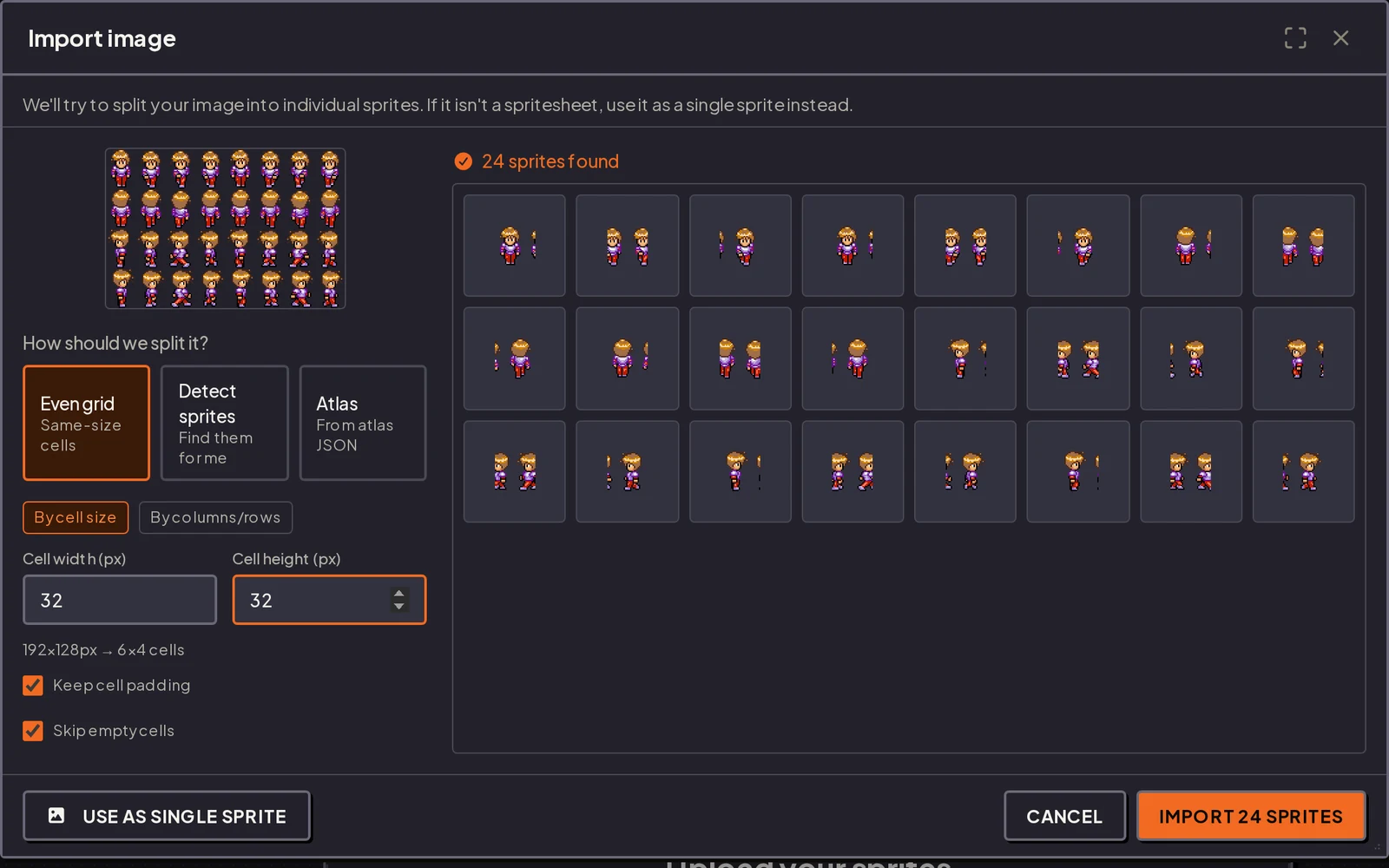***Import a sheet**
Drop in a PNG, JPG, or GIF. The importer slices it into frames on a grid, detects the sprites for you, or reads an atlas file.*](https://spritesheetgenerator.online/features/sprite-sheet-splitter "Sprite sheet splitter")
[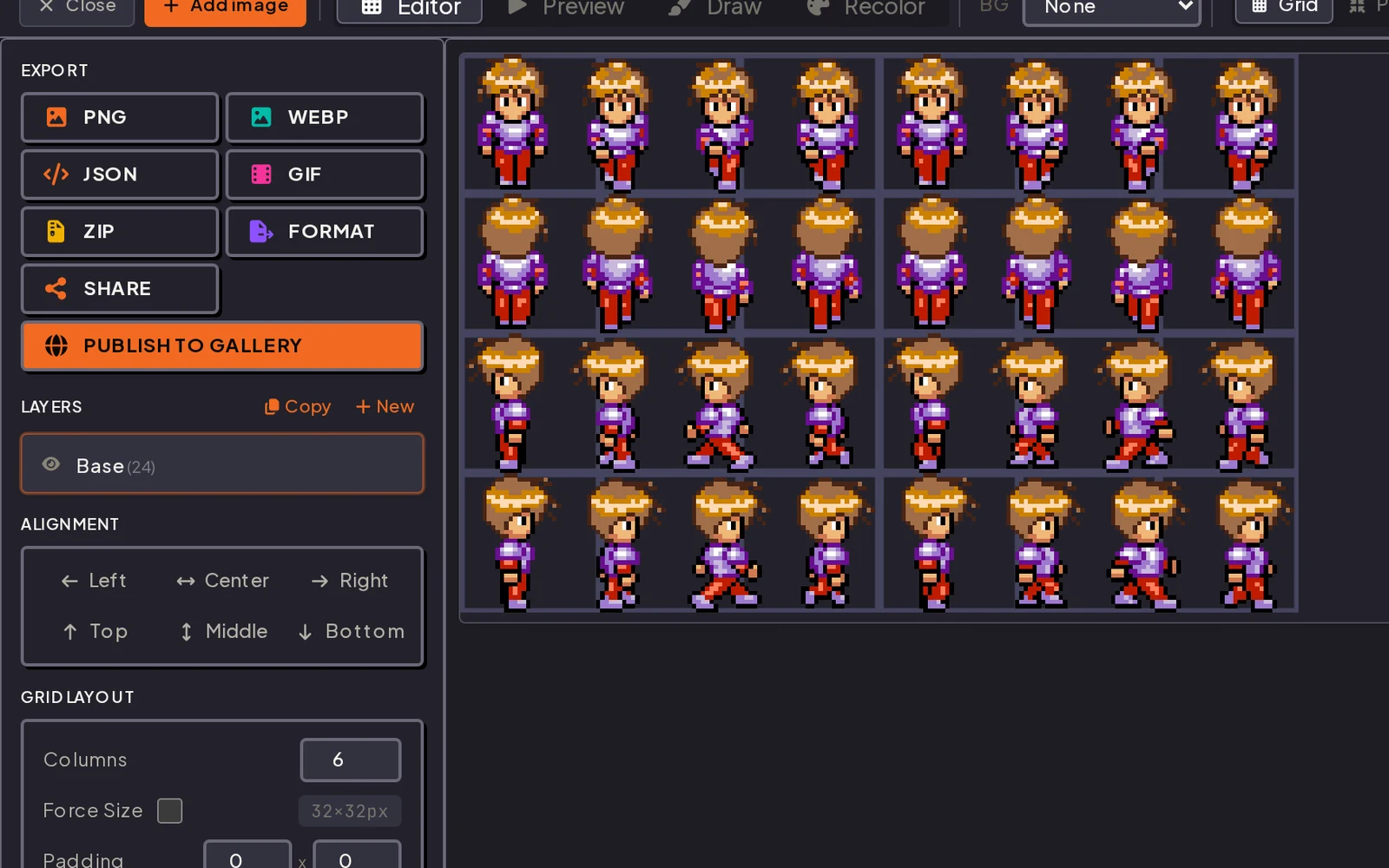***Arrange the grid**
Set columns, cell size, and padding. Drag frames around, align them, and trim transparent edges for tighter sheets.*](https://spritesheetgenerator.online/features/sprite-sheet-creator "Sprite sheet creator")
[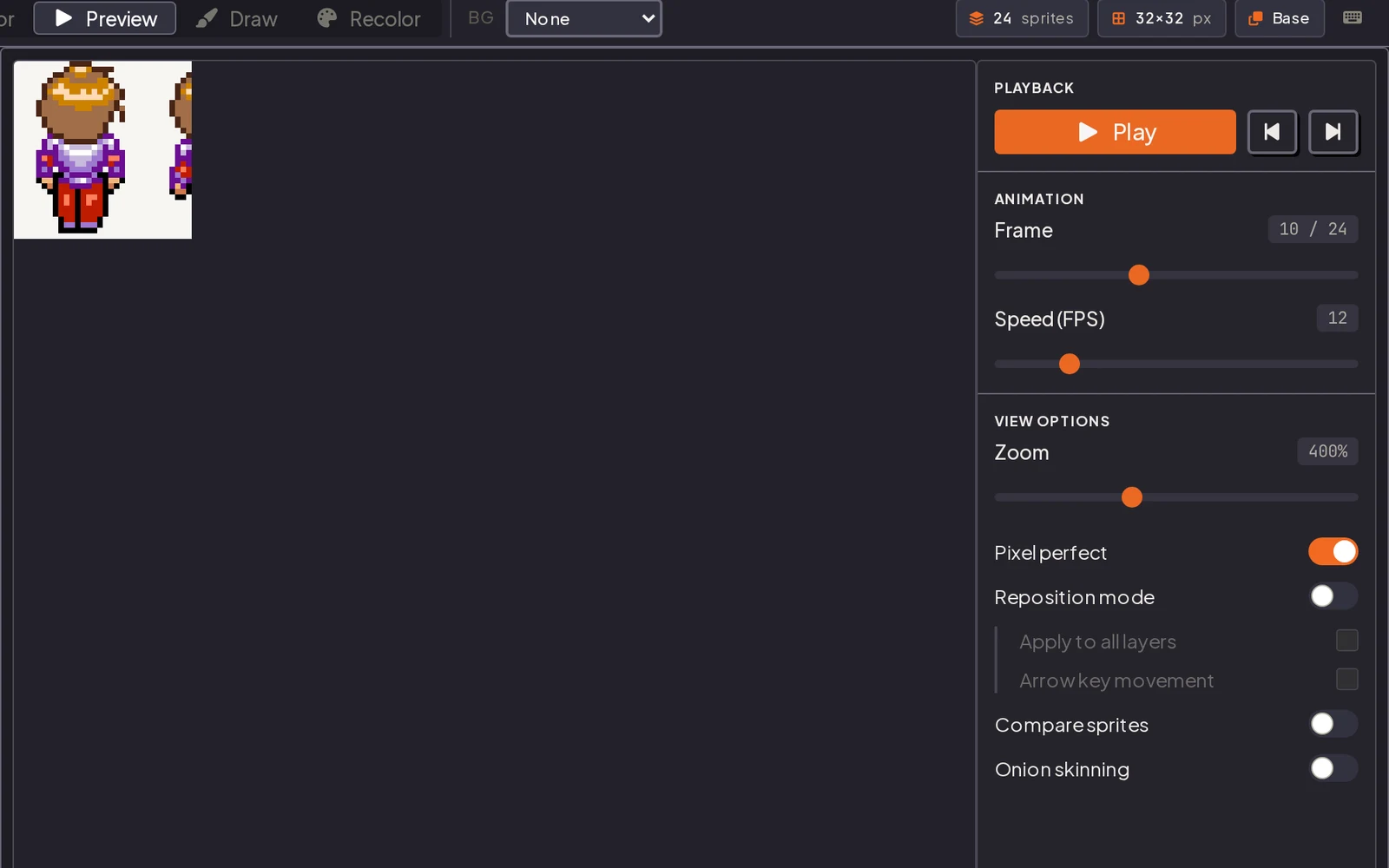***Preview the animation**
Play the frames back at any FPS, scrub the timeline, and check motion with onion skinning before you export.*](https://spritesheetgenerator.online/features/animation-preview "Animation preview")
[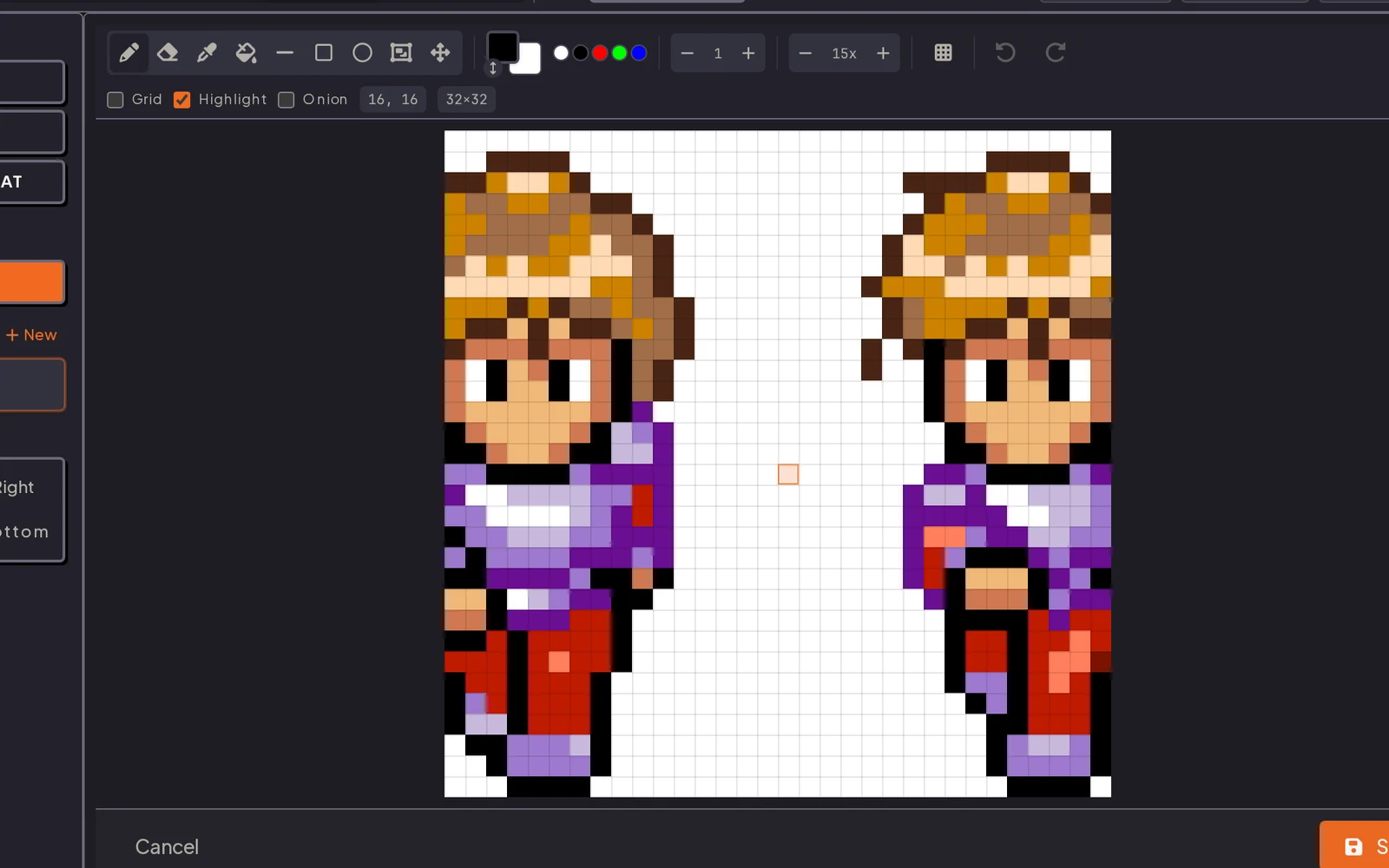***Fix pixels in place**
Pencil, eraser, bucket, and shape tools on a zoomable pixel grid. Edit a frame and save it straight back to the sheet.*](https://spritesheetgenerator.online/features/pixel-art-editor "Pixel art editor")
[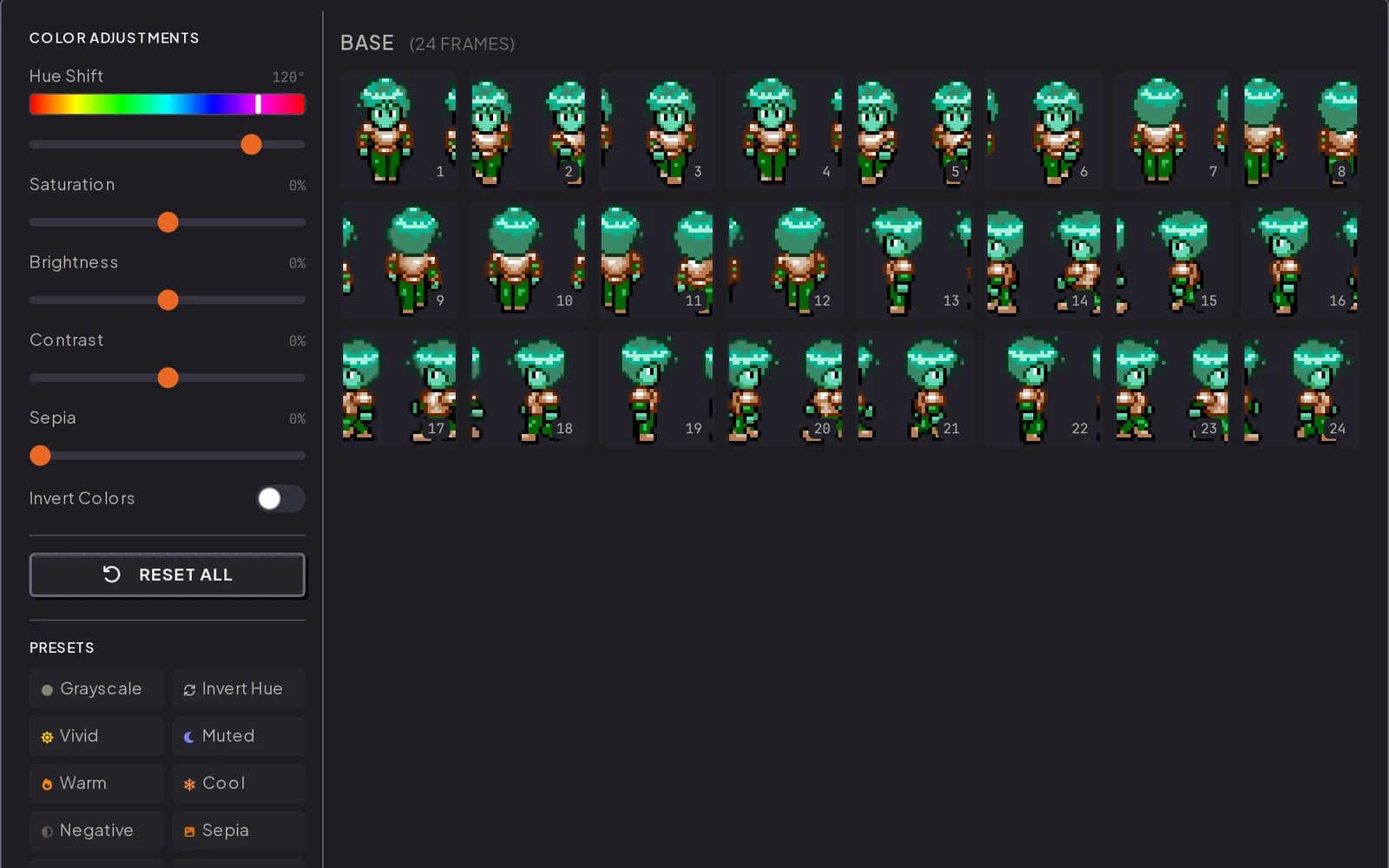***Recolor every frame**
Shift hue, saturation, brightness, contrast, or sepia across the whole layer at once, or start from a preset.*](https://spritesheetgenerator.online/features/recolor-tool "Recolor tool")
[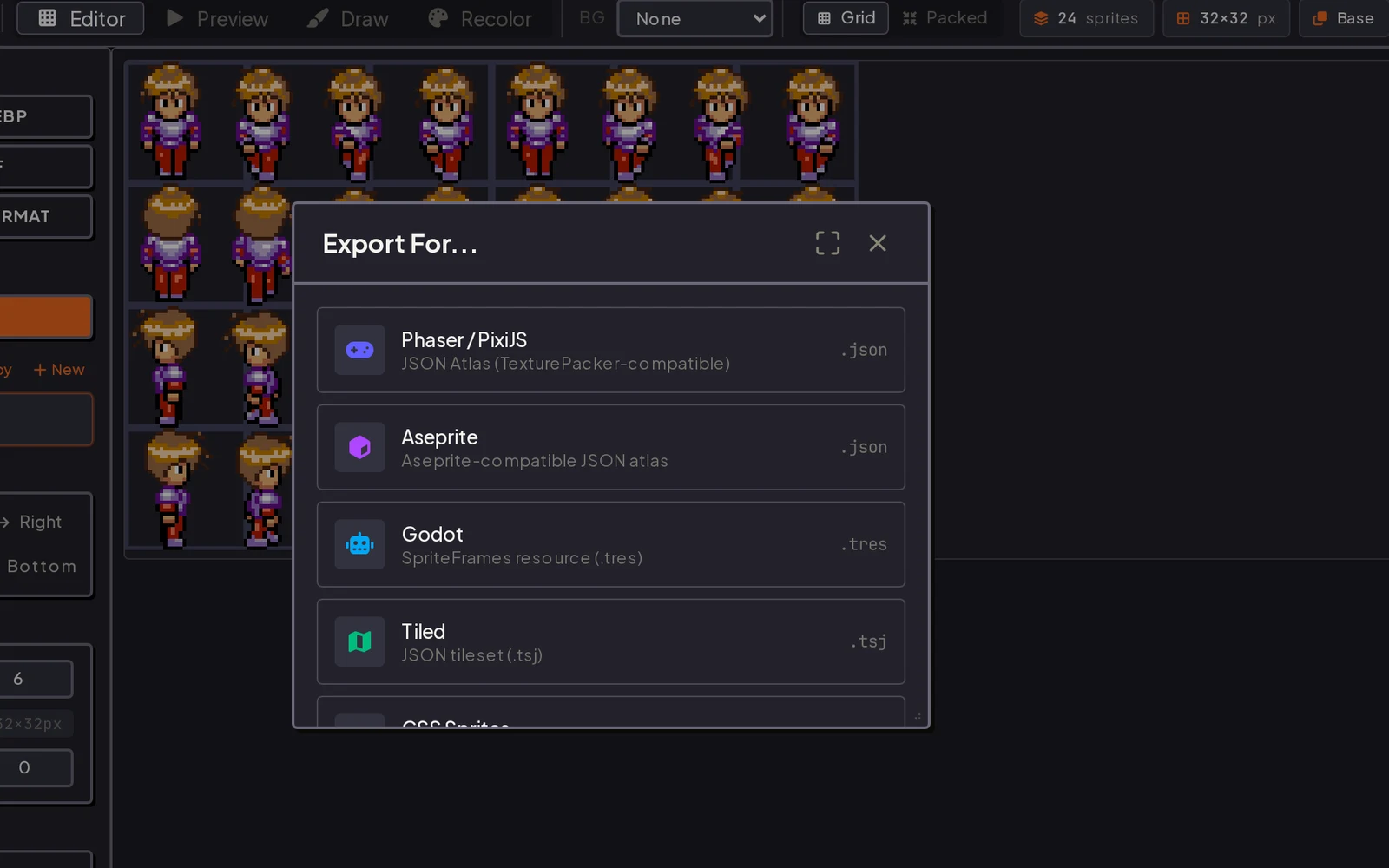***Export for your engine**
Atlas files for Phaser, Aseprite, Godot, Tiled, Sparrow XML, and CSS, plus plain PNG, WebP, GIF, and ZIP downloads.*](https://spritesheetgenerator.online/features/export-formats "Export formats")
[Open the editor and try it](https://spritesheetgenerator.online/editor)
Who uses it
## **Games, pixel art, mods.**
A sheet made here can go into an engine, a CSS file for a web page, or a mod folder. The PNG is the same; only the atlas file changes.
### **Game developers**
Pack character sprite sheets and other 2D assets, then export the atlas format your engine reads: .tres for Godot, JSON for Phaser, a sliceable PNG for Unity or GameMaker.
### **Pixel artists and animators**
Touch up frames in the pixel editor, check the loop with onion skinning, and make a recolored variant before packing the sheet.
### **GIF and image conversion**
Drop an animated GIF or a folder of PNGs and get one sheet with a matching JSON. Going the other way, a sheet exports back to GIF.
### **Modders and fan games**
Sparrow XML atlases for Friday Night Funkin and other Starling or HaxeFlixel projects, or plain PNG sheets for anything that slices by grid.
Specs
## **What it handles.**
Most limits come from your own device, because nothing runs on a server. This is where they sit in practice.
- Input formats
-
**PNG, JPG, GIF, WebP, JSON**
Animated GIFs split into frames automatically. JSON reloads a saved project.
- Export formats
-
**PNG, WebP, GIF, ZIP, JSON, XML, TRES, TSJ, CSS**
Engine exports ship as a ZIP: the sheet plus its atlas file, ready to drop in.
- Max file size per image
-
**No fixed cap**
Memory is the limit. A decoded 4096x4096 image holds about 64MB in RAM, whatever it weighs on disk.
- Max sheet dimensions
-
**Around 8192x8192**
Not enforced by the tool. Browsers and GPUs start failing around here, and many engines cap textures lower.
- Sprites per sheet
-
**No hard limit**
Every sprite stays decoded in the tab, so device memory decides how many fit.
- Where it runs
-
**Entirely in your browser**
Packing, recolor, and export all happen locally. Nothing uploads unless you publish to the gallery.
- Browser support
-
**Current Chrome, Firefox, Safari, and Edge**
Desktop and mobile both work. Drawing pixels is easier with a mouse than a finger.
Questions
## **Frequently asked**
The questions people ask before they try the editor. The FAQ page has the rest.
More questions? [**See the full FAQ**](https://spritesheetgenerator.online/faq).
###
###
###
###
###
###
Guides
## **Guides**
Written against this editor, with screenshots: how frames and grids work, packing and padding, and importing the result into Godot, Unity, Phaser, and Construct.
[**Beginner, 6 min****Getting Started: Your First Sprite Sheet**
A screen-by-screen walkthrough of the editor: import and slice an image, arrange the grid, preview the animation, fix pixels, recolor, and export.**Read guide**](https://spritesheetgenerator.online/guides/getting-started "Read: Getting Started: Your First Sprite Sheet")
[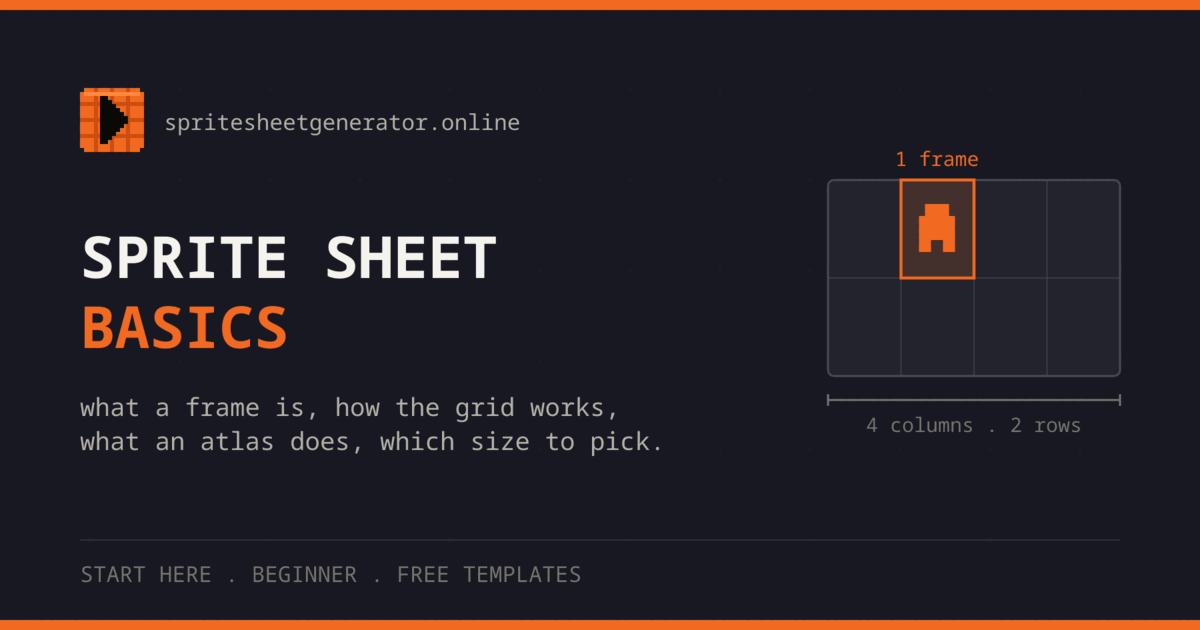**Beginner, 8 min****Sprite Sheet Basics Explained**
What a frame, a grid, and an atlas are, why sprite sheets ship as PNG, which frame and sheet sizes are normal, and four blank grid templates to draw on.**Read guide**](https://spritesheetgenerator.online/guides/sprite-sheet-basics "Read: Sprite Sheet Basics Explained")
[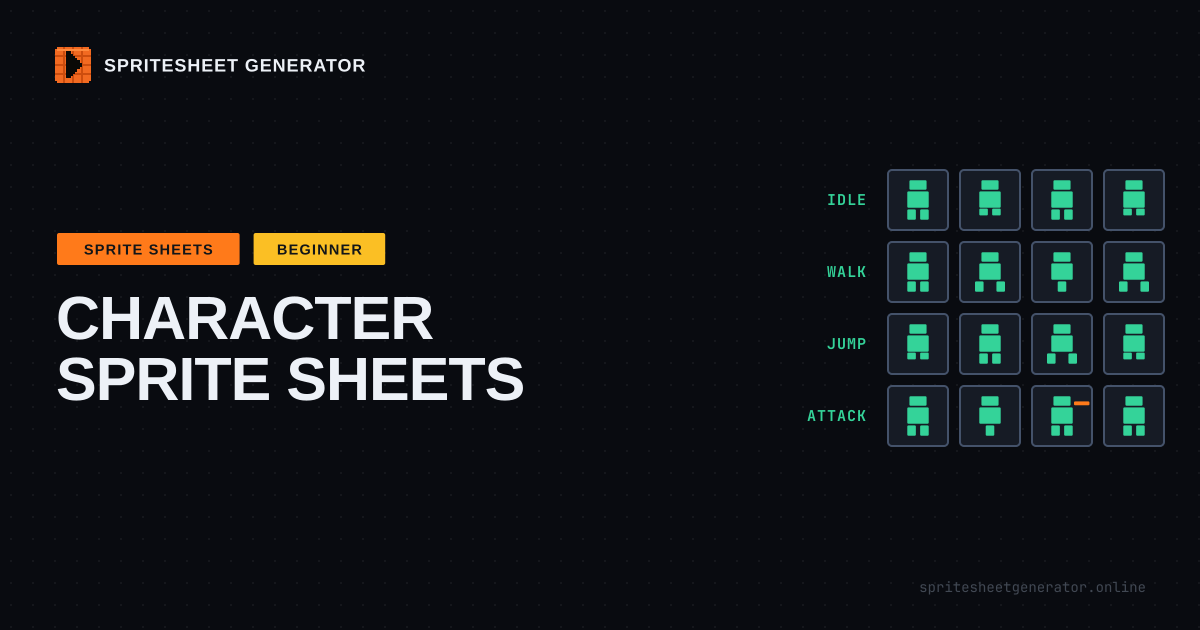**Beginner, 7 min****Character Sprite Sheets: Which Animations Your Game Needs**
Plan a character sprite sheet before drawing it: which animations to make, frames per animation, facing directions and mirroring, cell size, and row layout.**Read guide**](https://spritesheetgenerator.online/guides/character-sprite-sheet "Read: Character Sprite Sheets: Which Animations Your Game Needs")
[**Browse all guides**](https://spritesheetgenerator.online/guides)
## **Ready to build?**
No account and no upload. Your frames stay in the browser tab.
```json
{"@context":"https://schema.org","@graph":[{"@id":"https://spritesheetgenerator.online/#website","@type":"WebSite","description":"Free online tool to create spritesheets for game development. Upload sprites, arrange them, and export as a spritesheet with animation preview.","name":"Spritesheet Generator","url":"https://spritesheetgenerator.online/","publisher":{"@id":"https://spritesheetgenerator.online/#identity"}},{"@id":"https://spritesheetgenerator.online/#webpage","@type":"WebPage","description":"Free online tool to create spritesheets for game development. Upload sprites, arrange them, and export as a spritesheet with animation preview.","name":"Spritesheet Generator - Create Game Sprite Sheets Online","url":"https://spritesheetgenerator.online/","about":{"@id":"https://spritesheetgenerator.online/#identity"},"isPartOf":{"@id":"https://spritesheetgenerator.online/#website"},"potentialAction":[{"@type":"ReadAction","target":["https://spritesheetgenerator.online/"]}],"primaryImageOfPage":{"@id":"https://spritesheetgenerator.online/#logo"}},{"@id":"https://spritesheetgenerator.online/#identity","@type":"Organization","description":"A free, browser based sprite sheet generator for 2D game developers and pixel artists.","name":"Spritesheet Generator","url":"https://spritesheetgenerator.online","logo":{"@id":"https://spritesheetgenerator.online/#logo"},"sameAs":["https://discord.gg/2vvfqwn5k7"]},{"@id":"https://spritesheetgenerator.online/#/schema/item-list/1","@type":"ItemList","name":"Sprite Sheet Guides","url":"https://spritesheetgenerator.online/guides","itemListElement":[{"@type":"ListItem","position":1,"url":"https://spritesheetgenerator.online/guides/getting-started","name":"Getting Started: Your First Sprite Sheet"},{"@type":"ListItem","position":2,"url":"https://spritesheetgenerator.online/guides/sprite-sheet-basics","name":"Sprite Sheet Basics Explained"},{"@type":"ListItem","position":3,"url":"https://spritesheetgenerator.online/guides/character-sprite-sheet","name":"Character Sprite Sheets: Which Animations Your Game Needs"}]},{"@id":"https://spritesheetgenerator.online/#/schema/software-application/1","@type":"SoftwareApplication","applicationCategory":"DesignApplication","browserRequirements":"Requires JavaScript. Requires HTML5.","description":"Free online tool to create spritesheets for game development. Upload sprites, arrange them, and export as a spritesheet with animation preview.","name":"Spritesheet Generator","operatingSystem":"Web Browser","url":"https://spritesheetgenerator.online","featureList":["Sprite sheet packing on a grid or with MaxRects","Sprite sheet splitter","Pixel art editor","Recolor and palette swaps","Animation preview with adjustable FPS","GIF to sprite sheet and sprite sheet to GIF","Export to PNG, WebP, GIF, ZIP, JSON, XML, TRES, TSJ, and CSS"],"offers":{"@type":"Offer","availability":"https://schema.org/InStock","price":"0","priceCurrency":"USD","priceValidUntil":"2027-12-30T00:00:00.000Z"},"screenshot":[{"@type":"ImageObject","contentUrl":"https://spritesheetgenerator.online/screenshots/import.webp","url":"https://spritesheetgenerator.online/screenshots/import.webp","caption":"Import a sheet - Drop in a PNG, JPG, or GIF. The importer slices it into frames on a grid, detects the sprites for you, or reads an atlas file.","width":1600,"height":1000,"encodingFormat":"image/webp"},{"@type":"ImageObject","contentUrl":"https://spritesheetgenerator.online/screenshots/editor.webp","url":"https://spritesheetgenerator.online/screenshots/editor.webp","caption":"Arrange the grid - Set columns, cell size, and padding. Drag frames around, align them, and trim transparent edges for tighter sheets.","width":1600,"height":1000,"encodingFormat":"image/webp"},{"@type":"ImageObject","contentUrl":"https://spritesheetgenerator.online/screenshots/animate.webp","url":"https://spritesheetgenerator.online/screenshots/animate.webp","caption":"Preview the animation - Play the frames back at any FPS, scrub the timeline, and check motion with onion skinning before you export.","width":1600,"height":1000,"encodingFormat":"image/webp"},{"@type":"ImageObject","contentUrl":"https://spritesheetgenerator.online/screenshots/draw.webp","url":"https://spritesheetgenerator.online/screenshots/draw.webp","caption":"Fix pixels in place - Pencil, eraser, bucket, and shape tools on a zoomable pixel grid. Edit a frame and save it straight back to the sheet.","width":1600,"height":1000,"encodingFormat":"image/webp"},{"@type":"ImageObject","contentUrl":"https://spritesheetgenerator.online/screenshots/recolor.webp","url":"https://spritesheetgenerator.online/screenshots/recolor.webp","caption":"Recolor every frame - Shift hue, saturation, brightness, contrast, or sepia across the whole layer at once, or start from a preset.","width":1600,"height":1000,"encodingFormat":"image/webp"},{"@type":"ImageObject","contentUrl":"https://spritesheetgenerator.online/screenshots/export.webp","url":"https://spritesheetgenerator.online/screenshots/export.webp","caption":"Export for your engine - Atlas files for Phaser, Aseprite, Godot, Tiled, Sparrow XML, and CSS, plus plain PNG, WebP, GIF, and ZIP downloads.","width":1600,"height":1000,"encodingFormat":"image/webp"}]},{"@id":"https://spritesheetgenerator.online/#/schema/question/1","@type":"Question","inLanguage":"en","name":"Is Spritesheet Generator free?","acceptedAnswer":{"@type":"Answer","text":"Yes. There is no paid tier and exports carry no watermark. You do not need an account to make or download a sheet; signing in is only for publishing to the gallery and saving projects online."}},{"@id":"https://spritesheetgenerator.online/#/schema/question/2","@type":"Question","inLanguage":"en","name":"Do I need to install anything?","acceptedAnswer":{"@type":"Answer","text":"No. Packing, recolor, and export all run in your browser tab, which is also why your images are not uploaded anywhere unless you publish them."}},{"@id":"https://spritesheetgenerator.online/#/schema/question/3","@type":"Question","inLanguage":"en","name":"Which files can I drop in?","acceptedAnswer":{"@type":"Answer","text":"PNG, JPG, GIF, and WebP images, or a project JSON saved from this tool. An animated GIF is split into its frames. A single image opens the splitter, so you can cut an existing sheet back into frames."}},{"@id":"https://spritesheetgenerator.online/#/schema/question/4","@type":"Question","inLanguage":"en","name":"How big should my sprite sheet be?","acceptedAnswer":{"@type":"Answer","text":"Under 2048x2048 is safe almost everywhere. Some engines and older GPUs still prefer power-of-two sides (512, 1024, 2048) and will pad anything else up to the next step, so it is worth picking columns that keep you on one."}},{"@id":"https://spritesheetgenerator.online/#/schema/question/5","@type":"Question","inLanguage":"en","name":"Sprite sheet, sprite chart, sprite spreadsheet: same thing?","acceptedAnswer":{"@type":"Answer","text":"Mostly. A sprite sheet is one image holding many frames on a grid, and people also call it a sprite chart or, by autocorrect, a sprite spreadsheet. A sprite strip is a sheet with a single row. A texture atlas packs sprites of different sizes and needs a data file to find them. This tool makes all of these."}},{"@id":"https://spritesheetgenerator.online/#/schema/question/6","@type":"Question","inLanguage":"en","name":"Something broke. How do I report it?","acceptedAnswer":{"@type":"Answer","text":"Use the \u003Ca href=\"/contact\" class=\"text-ac-text hover:underline font-bold\">contact form\u003C/a>. Say which browser you used and what kind of files you dropped in; that is usually enough to reproduce it."}},{"@id":"https://spritesheetgenerator.online/#logo","@type":"ImageObject","caption":"Spritesheet Generator","contentUrl":"https://spritesheetgenerator.online/web-app-manifest-512x512.png","inLanguage":"en","url":"https://spritesheetgenerator.online/web-app-manifest-512x512.png"}]}
```
## Sitemap
See the full [sitemap](https://spritesheetgenerator.online/sitemap.md) for all pages.