Publishing on Steam is a $100 fee, 30-day review wait, and a lot of setup. Most devs who fail do not fail because of Valve — they fail because they launch to an empty wishlist. This guide fixes that.
Steam Is Still the Default
In 2026, Steam holds roughly 75% of the PC gaming market. Itch.io is vibrant and community-driven, Epic Games Store offers better revenue splits, GOG targets DRM-free players — but for an indie dev who wants the largest possible audience, Steam is still where you launch.
The barrier to entry is intentionally low. Steam Direct costs $100 (one-time, non-refundable), and Valve takes 30% of revenue up to $10M (25% from $10M-$50M, 20% above that). The $100 fee gets credited back to your account once you earn $1,000.
The real challenge is not Valve's process. It is standing out on a platform that receives hundreds of new game submissions per week.
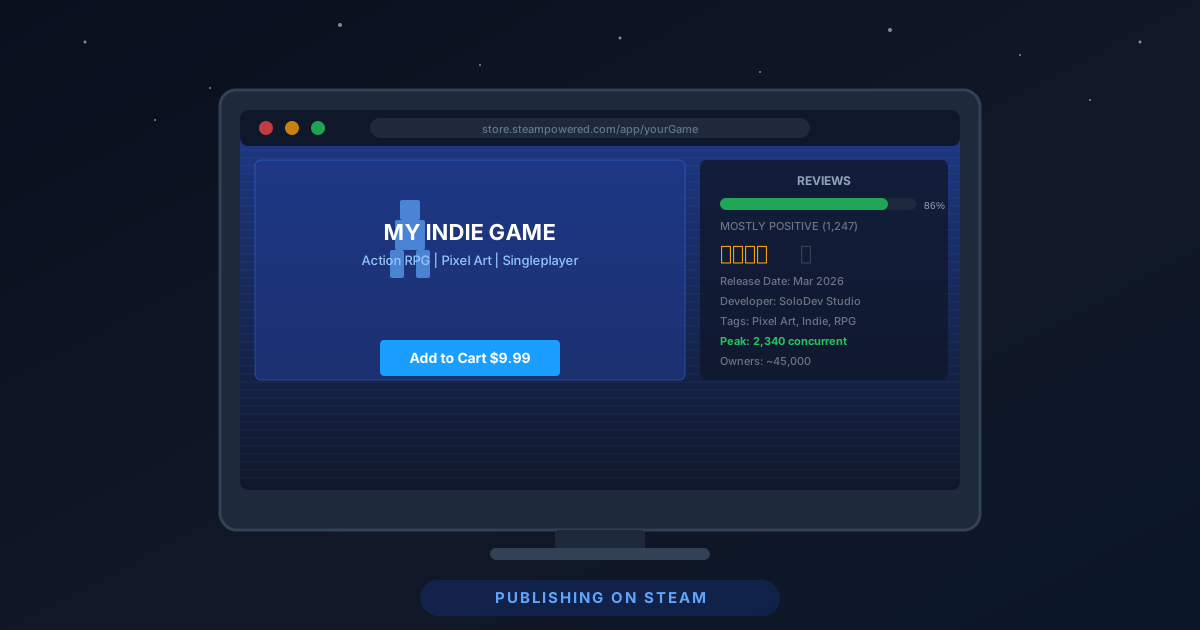
Step 1: Set Up a Steamworks Account
Everything starts at partner.steamgames.com.
Requirements:
- A valid Steamworks developer account
- $100 Steam Direct fee (paid per application/game)
- A Valve-verified payment method
- Your business entity information (or personal info if a sole proprietor)
- Tax forms — US devs file a W-9; international devs file a W-8BEN
The tax step trips up a lot of devs. Do it before you do anything else. Valve will not pay you until it is complete, and the process can take several days.
Once your account is active, you create a new "app" in Steamworks. This generates a unique Steam App ID that you will use in your game build for things like achievements, leaderboards, and cloud saves.
Step 2: Build Your Store Page (This Is Your Most Important Asset)
Your store page is a marketing document, not documentation. Treat it that way.
Capsule Images
Steam requires several image assets:
| Asset | Size | Purpose |
|---|---|---|
| Header Capsule | 460x215 px | Search results, top of store |
| Small Capsule | 231x87 px | Lists and queues |
| Main Capsule | 616x353 px | Featured sections |
| Library Capsule | 600x900 px | Steam library view |
| Page Background | 1438x810 px | Store page header |
All capsule images must follow Valve's branding guidelines: game title text required on all capsules, no price or promotional text, no awards or review scores. Valve enforces this strictly and will reject non-compliant images during review.
Hire a graphic designer for capsule art if your budget allows. A compelling capsule image is the single highest-ROI investment you can make before launch. Players decide in under two seconds whether to click. The capsule is those two seconds.
The Short Description
150 characters max. This appears directly under your game title. Write it like a logline: genre + unique mechanic + emotional hook. Not "A pixel art platformer with multiple worlds" — that describes 10,000 games. Write "A precision platformer where every death reshapes the level — adapt or die forever."
The Long Description
Players who read the long description are already interested. Confirm the purchase. Cover:
- Core loop and primary mechanics (first 150 words)
- Key features as bullet points (scannable)
- How long the game is
- Multiplayer or co-op details if relevant
- System requirements (link to the tech section)
Do not pad it. A focused 300-word description beats an unfocused 800-word description.
Trailers
A launch trailer is mandatory for credibility. An announcement trailer is optional but strongly recommended for pre-launch wishlisting.
What works in indie game trailers:
- First 15 seconds must hook immediately — no slow logos, no 20-second title cards
- Show gameplay within the first 5 seconds
- Music that matches the game's energy
- Text overlays that reinforce key selling points
- End with a release date or "Wishlist Now" CTA
What kills indie game trailers:
- Cinematic intro with no gameplay
- Low-resolution or pre-alpha footage
- Music that does not match the game's tone
- No visible UI (players want to see what playing feels like)
Total trailer length: 60-90 seconds for launch trailers. Announcement trailers can be shorter — 30-45 seconds works well.
YouTube first: Upload your trailer to YouTube before adding it to Steam. Steam embeds YouTube links, not uploaded files, for the primary trailer. Keep your YouTube video public throughout the page's life.
Step 3: Configure Steamworks Features
Before you upload your first build, configure the features you intend to ship with.
Steam Cloud is nearly free to implement and players expect it. No one wants to re-play 6 hours of your RPG because they switched computers. Enable it, point it at your save file directory, and set a quota. 1GB per user is generous and essentially free.
Steam Achievements drive engagement and give players goals beyond the main narrative. You do not need fifty achievements — ten well-chosen ones that reflect real player milestones (first death, first boss, 100% completion) are better than forty arbitrary ones. Each achievement needs:
- A unique API name (never changes once set)
- Display name and description
- Icon art (64x64 px standard, 128x128 locked version)
Steam Trading Cards are optional and require an approval process, but they generate additional revenue (Valve takes a cut of the market fee) and increase discoverability. Worth doing if you have artists who can produce card and badge artwork.
Steam Input handles controller support. If your game supports gamepads, configure a default controller layout here. It takes two hours and eliminates the "game doesn't recognize my controller" reviews.
Step 4: Build Configuration and Beta Testing
Upload builds through SteamPipe, Valve's content distribution system. Steamworks provides a command-line tool and a GUI uploader.
Branch structure:
default(public): what players downloadbeta(private, password-gated): your testing branchstaging: optional intermediate branch for pre-release builds
Test on the beta branch with a small group of players before pushing to default. A broken launch is recoverable — barely. A broken launch that reviews "game crashes on startup" in the first 48 hours can permanently damage your store ranking.
Technical requirements checklist before submission:
- Game launches from a fresh Windows install (no extra runtime installers)
- Redistributables (Visual C++, DirectX, etc.) packaged and auto-installed
- Proper window resolution handling (at least 1920x1080, ideally more)
- Alt-tab works without crashing
- Anti-cheat / security software does not flag the executable
- Save files write to
%APPDATA%or%LOCALAPPDATA%, not the install directory - Game title in executable name matches Steam page title
Step 5: The 30-Day Review Wait — Use It
After submitting your build and store page, Valve reviews within approximately 30 days. During this period:
Finalize your marketing assets. All capsule images, trailer, and screenshots must be in their final form before you request review.
Grow your wishlist. This is the most important thing. Wishlists are the primary signal Valve uses to determine how aggressively to promote your game at launch. A game with 7,000+ wishlists at launch gets promoted in "New & Trending." A game with 500 does not.
Wishlist targets by game type (rough benchmarks, not guarantees):
- Small / experimental / jam game: 1,000+ wishlists
- Standard indie title: 7,000+ wishlists for organic promotion
- Ambitious indie title: 15,000+ for strong algorithmic push
Build wishlists through: game dev Twitter/X, TikTok devlogs, Reddit (r/indiegaming, r/gamedev, r/SteamDeals), Discord communities, content creator outreach, and press coverage. Start 3-6 months before launch, not 3 days before.
Key wishlist conversion rate: Industry data suggests 10-30% of wishlists convert to sales within the first 30 days. 7,000 wishlists = ~700-2,100 first-month sales at roughly $10/copy. Understand the math before you set a price.
Step 6: Pricing Your Game
This deserves a separate guide, but the core principles:
Price based on playtime and production value. Industry norm: $1 per hour of average playtime, capped at $20 for most indie games. A 2-hour experience at $15 will generate "too short for the price" reviews. A 20-hour RPG at $9.99 will generate "incredible value" reviews that sell the game for you.
Never launch at a discount. Launch at full price. Your launch is your highest-traffic period. Discounting signals low confidence. Run your first sale during Steam's next major sale event (Winter Sale, Summer Sale) 6-12 weeks after launch.
Refund policy awareness: Steam's 2-hour/14-day refund policy means players can complete short games and refund. If your game is under 2 hours, expect 15-25% refund rates. Price accordingly, or add content that extends playtime past the 2-hour mark.
Step 7: Launch Week Strategy
Launch on a Tuesday or Wednesday. Weekend launches get buried by large studio releases. Mid-week launches get more visibility in daily email digests and "Recently Released" sections.
Queue review keys before launch. Send Steam keys to content creators 2-3 weeks in advance with an embargo date. Aim for day-one coverage across YouTube and Twitch. You do not need giant channels — 10-20 mid-tier creators (50K-500K subs) who cover your genre deliver better ROI than one big streamer who plays briefly and moves on.
Post in all your communities simultaneously at launch. Coordinate the announcement across Discord, social media, and any newsletters. Coordinated noise creates the impression of momentum, and momentum drives the Steam algorithm.
Respond to every review in the first two weeks. Thoughtful developer responses to negative reviews frequently result in review updates. More importantly, they signal to potential buyers that you take the game seriously.
After Launch: What Actually Drives Long-Term Sales
A failed launch is not permanent. Steam's algorithm continues to recalculate visibility based on:
- Review score (aim for Mostly Positive or above — 75%+ positive)
- Review count (more reviews = more trust signals)
- Wishlist additions (these continue even after launch)
- DLC and updates (each update gets an "Update Visibility Round" — temporary traffic boost)
- Sale performance (discounts during major sales drive significant volume)
Many successful indie games sold 60-70% of their lifetime units in years 2 and 3, not at launch. A mediocre launch does not doom you. An abandoned game does.
The Honest Truth About Steam Revenue
Valve does not share public data, but community estimates based on Steam Spy and developer disclosures suggest:
- Median Steam game earns under $5,000 lifetime
- Top 25% earns $10,000-$50,000
- Top 10% earns $50,000+
- Top 1% earns $500,000+
Most indie games do not make a living wage. The ones that do were built by developers who treated marketing as seriously as development, launched with substantial wishlist backing, and continued supporting the game post-launch.
If you are making a game purely for financial return, adjust your expectations. If you are making a game because you love games and want players to experience what you built — you now have a complete roadmap to get it in front of them.
Resources: Steamworks Documentation, SteamDB for market research, GameDiscoverCo Newsletter by Simon Carless for weekly discovery analysis.