Sprite Sheet Maker for FNF and Sparrow XML
Export a Sparrow TextureAtlas with frames named the way FNF expects: your animation prefix plus a four digit index. Works for Starling and Adobe Animate too.
Format menu
Sparrow / Starling XML
Sparrow TextureAtlas (.xml)
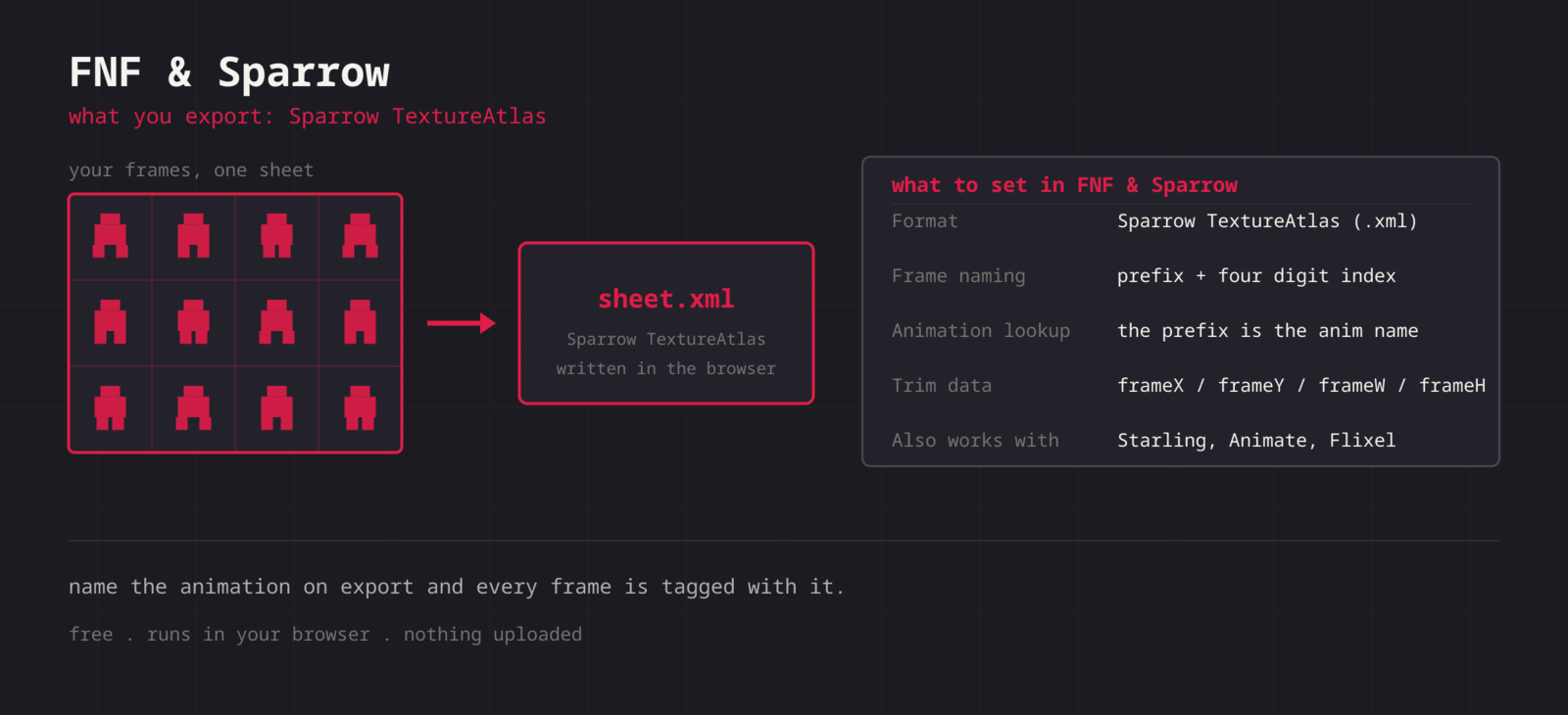
Sparrow keys animations off the frame name, not off a separate animation list. Every frame of one animation shares a prefix and ends in a four digit index, so idle0000, idle0001, and so on all belong to idle. The export asks for that prefix and names each frame accordingly, then writes the frame rects. Trimmed frames get frameX, frameY, frameWidth, and frameHeight so the engine restores their original footprint and the character does not jitter.
Getting the sheet into FNF & Sparrow
- 1
Arrange one animation per sheet
Keep frames in playback order. One sheet per animation is the cleanest mapping to the prefix naming.
- 2
Export the PNG
Export the sheet image first. The XML references it by file name, so both files share a stem.
- 3
Export the XML with a prefix
Format > Sparrow / Starling XML, then type the animation name. Frames come out as prefix0000, prefix0001, and up.
- 4
Drop into the mod
Put the PNG and XML side by side in your character assets folder and reference the prefix as the animation name in the character setup.
- 5
Check the offsets
Trimmed frames carry their original bounds in the XML, so alignment holds. If a pose still drifts, adjust the animation offsets in the mod, not the sheet.
<?xml version="1.0" encoding="UTF-8"?>
<TextureAtlas imagePath="hero.png">
  <SubTexture name="idle0000" x="0" y="0" width="32" height="32"/>
  <SubTexture name="idle0001" x="32" y="0" width="32" height="32"/>
  <SubTexture name="idle0002" x="64" y="0" width="32" height="32"/>
</TextureAtlas>| Setting | FNF & Sparrow value |
|---|---|
| Format | Sparrow TextureAtlas (.xml) |
| Frame naming | prefix + four digit index |
| Animation lookup | The prefix is the animation name |
| Trim data | frameX / frameY / frameWidth / frameHeight |
| Also works with | Starling, Adobe Animate, Flixel |
You name the animation
Set the prefix at export time so the frames come out as idle0000 or singLEFT0000 without a rename pass.
Trim offsets preserved
Sparrow describes a trimmed frame as a negative offset into its original box. The export writes those, so poses stay aligned.
Read existing sheets
The splitter reads atlas files too, so you can pull an existing character sheet apart, edit it, and export a fresh XML.
Recolour variants
Hue and saturation controls make an alt-colour version of a character without touching every frame by hand.
When the sheet fights FNF & Sparrow
The mod reports that an animation was not found
- Cause
- The prefix in the XML does not match the animation name the character setup asks for, usually a casing difference or a trailing space.
- Fix
- Copy the animation name out of the character definition and paste it into the export dialog. Sparrow does no fuzzy matching, so the two strings have to be identical.
Frames play in the wrong order
- Cause
- Sparrow readers sort by frame name, so a gap or an inconsistent index width breaks the sequence.
- Fix
- Keep the numbering contiguous from 0000 and let the export write the index. If you hand-edit the XML, keep four digits on every entry, since idle10 sorts before idle2.
The atlas loads but no image appears
- Cause
- The imagePath attribute at the top of the XML names the PNG that was exported. A renamed image leaves the reader looking for a file that is not there.
- Fix
- Keep the pair on the same stem, or edit the imagePath attribute directly. It is one line at the top of the file, so a rename is a two second fix rather than a re-export.
The character is enormous or tiny next to the others
- Cause
- Base game assets are drawn at a much larger resolution than most homemade sheets, so a sheet drawn at pixel-art scale looks minuscule beside them.
- Fix
- Scale the character in the mod rather than upscaling the sheet, and set antialiasing off for a pixel-art character so the scale stays crisp.
Only the first animation works after merging several XMLs
- Cause
- A merged file ended up with more than one TextureAtlas root element, or two animations share a prefix.
- Fix
- Keep a single TextureAtlas root, put every SubTexture inside it, and give each animation a distinct prefix. Merging is a text edit, so a quick look at the file structure catches both problems.
A faint outline follows the character
- Cause
- Semi-transparent edge pixels, often from a filter or from art that passed through a lossy format at some point, read as a halo against the stage.
- Fix
- Work from PNG sources, and use the per-colour palette list to find and remove the fringe colour. A recolor pass will otherwise amplify it, since a hue shift moves the halo along with the art.
What changes between FNF & Sparrow versions
- Friday Night Funkin base and Psych Engine
- Both read Sparrow atlases and both key animations off the frame name prefix. Psych Engine adds a character editor that lists the prefixes it found, which is the fastest way to confirm an export before wiring it up.
- Starling and HaxeFlixel
- Sparrow is the Starling texture atlas format, and HaxeFlixel reads it directly through its atlas frames loader. The same file therefore works well outside the modding scene.
- Adobe Animate exports
- Animate can publish Starling atlases with the same structure, which is why an FNF character sheet and an Animate sheet look alike. This export writes the plain Sparrow form, not the newer Animate texture atlas with its own JSON metadata.
- Trim data
- Trimmed frames are described with frameX, frameY, frameWidth, and frameHeight, which readers use to restore the original footprint. A reader that ignores those attributes will show the character jumping around, so test with the engine you actually ship on.
Want the long version? Read the engine import guide, or see every export format.
Export for FNF & Sparrow
Pack your frames in the browser. What you walk away with: Sparrow TextureAtlas (.xml), ready for FNF & Sparrow.