A sprite sheet is one image that holds every frame of an animation, laid out so an engine can cut it back into pieces. You need four words to talk about one: frame, grid, atlas, and fps. This page covers those, plus file format, normal sizes, and blank templates if you draw by hand.
What You Are Making
Picture a walk cycle saved as 24 separate PNGs. Your game would load 24 textures and switch between them every time it draws the character. Put the same 24 drawings side by side in one image and the game loads one texture, then shows a different rectangle of it each frame.
That swap matters more than it sounds. A renderer can batch sprites that share a texture into a single draw call. Every texture switch breaks the batch. One sheet means one bind for everything on it.
You will also see it written as spritesheet, sprite strip, or sprite chart. Same thing.
A Frame Is One Drawing
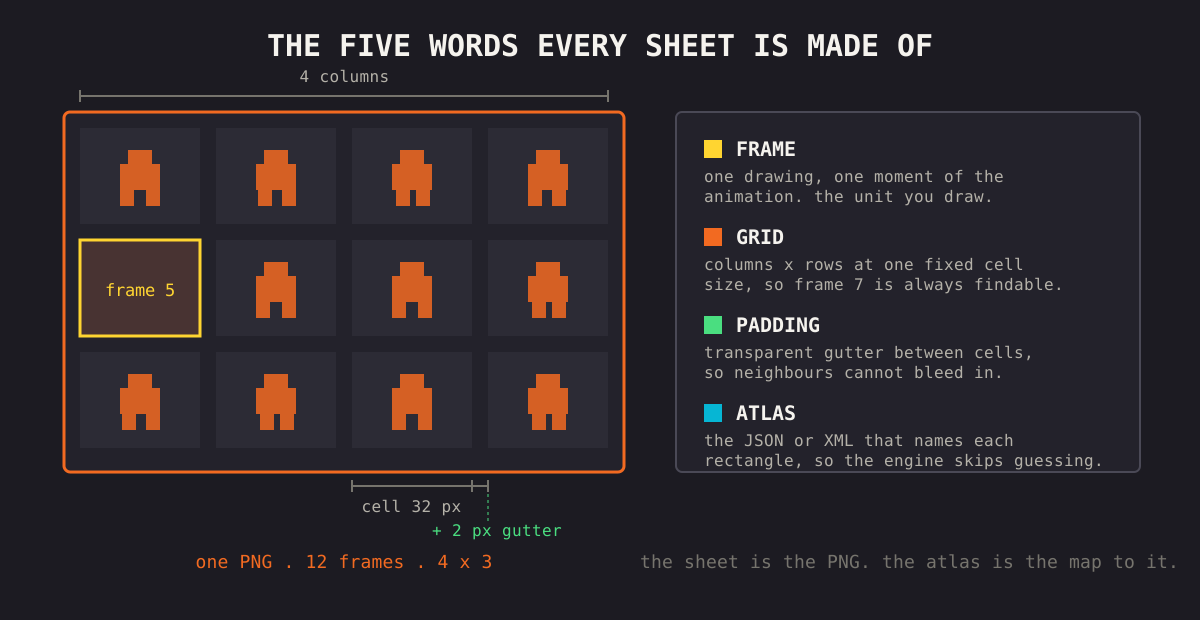
A frame is a single still: one pose at one moment. Play frames in order, fast enough, and the eye fills in the motion between them.
Not every frame moves. Tiles, icons, and UI buttons live on sheets too. They just never advance.
How Many Frames You Need
Small numbers. Extra frames make motion smoother, but each one is another drawing, and at 32x32 the eye barely registers the in-betweens.
| Animation | Frames | Notes |
|---|---|---|
| Idle | 2 to 4 | Subtle breathing or a blink |
| Walk | 4 to 8 | Four reads fine, eight reads soft |
| Run | 4 to 6 | Fewer frames, higher fps |
| Attack | 3 to 6 | One held frame for anticipation |
| Jump | 2 to 3 | Launch, apex, land |
Most of these loop. A 4 frame walk repeating at 8 to 12 fps looks fine, and players do not count. The pixel art animation guide covers which poses those frames should be.
The Grid Tells the Engine Where Frames Are
Most sheets use a uniform grid. Every cell has the same width and height, frames run left to right and then down, and frame 0 is the top-left cell. If the engine knows the cell size, it can slice the image without any extra file.
Character sheets usually put one animation per row: walk-down on row one, walk-left on row two, and so on. Nothing enforces this. It just means you can read the sheet by eye, and most engine tutorials assume it.
In the editor, three settings shape the grid. Engines ask about the same three on import:
- Columns is frames per row. Twenty four frames at six columns makes a 6x4 grid.
- Force Size locks every cell to one size you type in, useful when your frames vary.
- Padding adds a transparent gutter around each cell so neighbors do not bleed into each other at the edges. The packing and padding guide explains why that happens.
Without Force Size, the editor sizes cells to fit your largest sprite, so a batch of mismatched PNGs still lands on a clean grid. You can drag any sprite to move it.
Turn on Frames in View Options and every cell gets its index number. A finished sheet does not show playback order on its own, so numbering the cells is the easiest way to keep it straight while you rearrange.
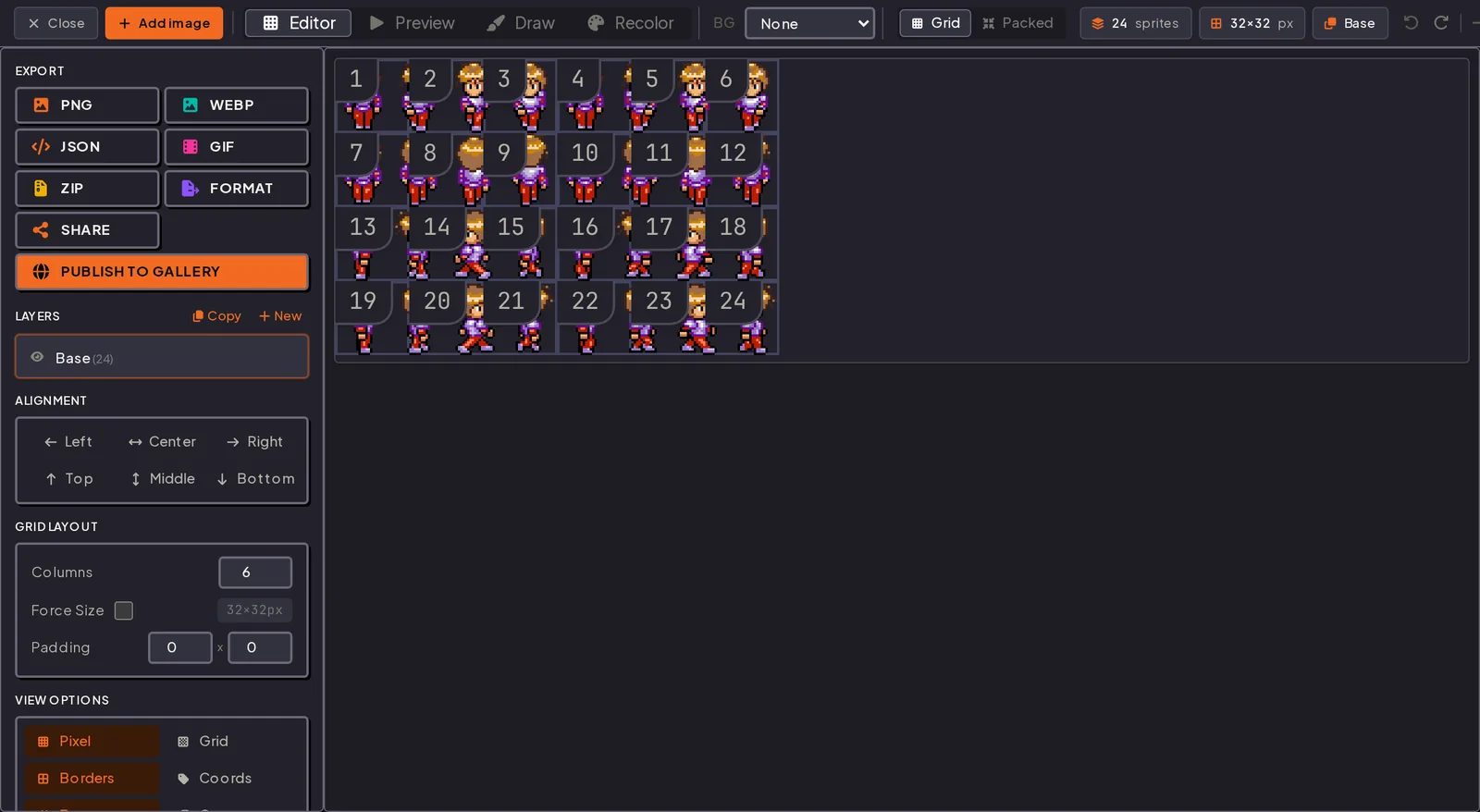
Getting Started walks through this screen from import to export.
The Atlas Is the Map
Once frames are packed tightly instead of sitting on a grid, the engine can no longer work out where each one is. An atlas solves that: a small text file next to the PNG that names each frame and gives its x, y, width, and height.
{
  "frames": {
    "walk_00.png": { "frame": { "x": 0, "y": 0, "w": 32, "h": 48 } },
    "walk_01.png": { "frame": { "x": 32, "y": 0, "w": 32, "h": 48 } }
  }
}
People use "sprite sheet" and "texture atlas" loosely. In practice a sheet tends to mean one animation on a grid, and an atlas tends to mean many unrelated images packed to save space, with a data file to find them again.
Whether you need the data file depends on the engine. Godot's Sprite2D takes Hframes and Vframes, Unity slices by grid in the Sprite Editor, and Phaser's this.load.spritesheet() takes a frame width and height, so none of them need it for a grid. Phaser's this.load.atlas() and anything packed do. The engine import guide has the exact settings for each.
Export both and decide later. A grid PNG works without the atlas, and the atlas is a few kilobytes. Keep both and switching engines does not mean repacking.
Use PNG
PNG, for two reasons that matter more than file size. Its compression is lossless, so the pixel you drew is the pixel that ships. And it has a full alpha channel, so the sprite sits on any background with no box around it.
JPG fails on both counts. Its compression is lossy and built for photos, so it smears the hard edges pixel art depends on, and it has no transparency, which leaves an opaque rectangle behind every sprite. WebP can be lossless and supports alpha, so it works, but engine support is thinner than PNG and the savings on a sprite sheet are small. GIF caps you at 256 colors and on-or-off transparency; the GIF guide goes into that.
A packed atlas is still a PNG. The JSON or XML just rides along with it.
Timing: Frames per Second
Fps sets how fast the loop plays. 1000 divided by the fps gives the milliseconds each frame stays on screen.
| fps | Per frame | Reads as |
|---|---|---|
| 8 | 125 ms | Chunky, retro, cheap to draw |
| 12 | 83 ms | The pixel art default |
| 24 | 42 ms | Smooth, and twice the artwork |
An 8 frame walk at 12 fps loops in about two-thirds of a second, close to a real stride. A 4 frame idle at 6 fps takes the same time and reads as slow breathing.
Bad timing looks like bad art, so set the fps in the preview and watch the loop before you export. Holding a pose for an extra beat is a timing trick too, covered in the animation guide.
Normal Sizes
There are two sizes to think about. Beginners usually only consider the first.
Frame Size
| Size | Typical use |
|---|---|
| 16x16 | Tiles, items, NES era characters |
| 32x32 | The common character size |
| 48x48 or 64x64 | Room for weapons, capes, squash |
| 128x128 and up | Bosses, HD art, hand drawn frames |
Make the canvas bigger than the character. A 32x32 fighter swinging a sword needs a 48x48 or 64x64 frame, or the swing gets clipped. Draw every frame on that same canvas. If one frame is smaller, its origin shifts and the sprite jitters in game.
Pick one base resolution for the whole game and scale everything by the same factor. 16x16 characters next to 32x32 tiles and 48x48 UI look wrong, and no packing setting can fix that.
Sheet Size
At 2048x2048 or under, a sheet loads on practically any phone, laptop, or console. Power-of-two sizes and the padding needed to stop edge bleeding are covered in packing and padding.
Blank Sprite Sheet Templates
Drawing frames by hand is easier on a grid than spacing them by eye afterwards. Each file below is a transparent PNG with 1px grey guide lines on the cell boundaries. Open it in your art program, draw one pose per cell, then hide or delete the guide layer.
| Template | Size | Good for |
|---|---|---|
| 4x4 grid, 32px cells | 128x128 | Classic character sheet: 4 directions x 4 frames |
| 4x4 grid, 64px cells | 256x256 | Same layout with room for weapons and squash |
| 8x8 grid, 16px cells | 128x128 | Tiles, items, icons, and other small sprites |
| 8x1 strip, 64px cells | 512x64 | A single walk or attack cycle as one row |
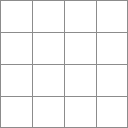
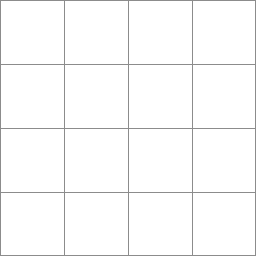
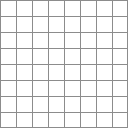

The guide lines are ordinary pixels. If you flatten your drawing onto them, they ship with the sheet.
You can skip templates. Drop loose frames into the editor and it builds the grid around your largest sprite. Templates are for when you want the grid before you start drawing.
Common Mistakes
Cells sized to the smallest sprite. Bigger frames get clipped and the animation pops. Size cells to the largest frame.
Frames drawn on different canvases. The origin moves between frames and the character shivers in place.
No padding. It costs nothing to add now and a re-export to add later.
Acres of empty space. A 4096x4096 PNG that is mostly transparent still takes the full memory on the GPU.
Judging at 400% zoom. Check at 1x. If the sprite does not read at native size, the drawings need work, not the sheet.
Have the frames already?
Drop them in, set columns and padding, watch the loop, export.
Questions
Sprite sheet or spritesheet? Either. Engines do not care, and you will see sprite-sheet, sprite strip, and sprite chart too. "Sprite spreadsheet" turns up in searches, but it has nothing to do with spreadsheets.
What file format should a sprite sheet be? PNG. It keeps pixel edges exact and supports transparency. JPG does neither.
What is a blank sprite sheet template? An empty transparent image split into equal cells by guide lines. You draw one pose per cell, so the finished sheet slices cleanly. Four are linked above.
What is the difference between a sprite sheet and a texture atlas? Usually, a sheet is a grid holding one animation, and an atlas is packed rectangles plus a JSON or XML file saying where each one is.
What size should a sprite sheet be? Choose the frame size first (16x16, 32x32, 64x64), then keep the whole sheet at 2048x2048 or under.
Do I need the JSON file? Only for packed frames, or an engine that loads atlases. A uniform grid slices fine without it in Godot, Unity, and Phaser.
Try it in the editor
The editor is free and needs no account. Open it in another tab and work through the steps above with your own frames.