Sprite Sheet Generator for Godot 4
Export a ready-made SpriteFrames resource. Assign it to an AnimatedSprite2D and every frame is already in place, in order, at the right region.
Format menu
Godot
SpriteFrames resource (.tres)
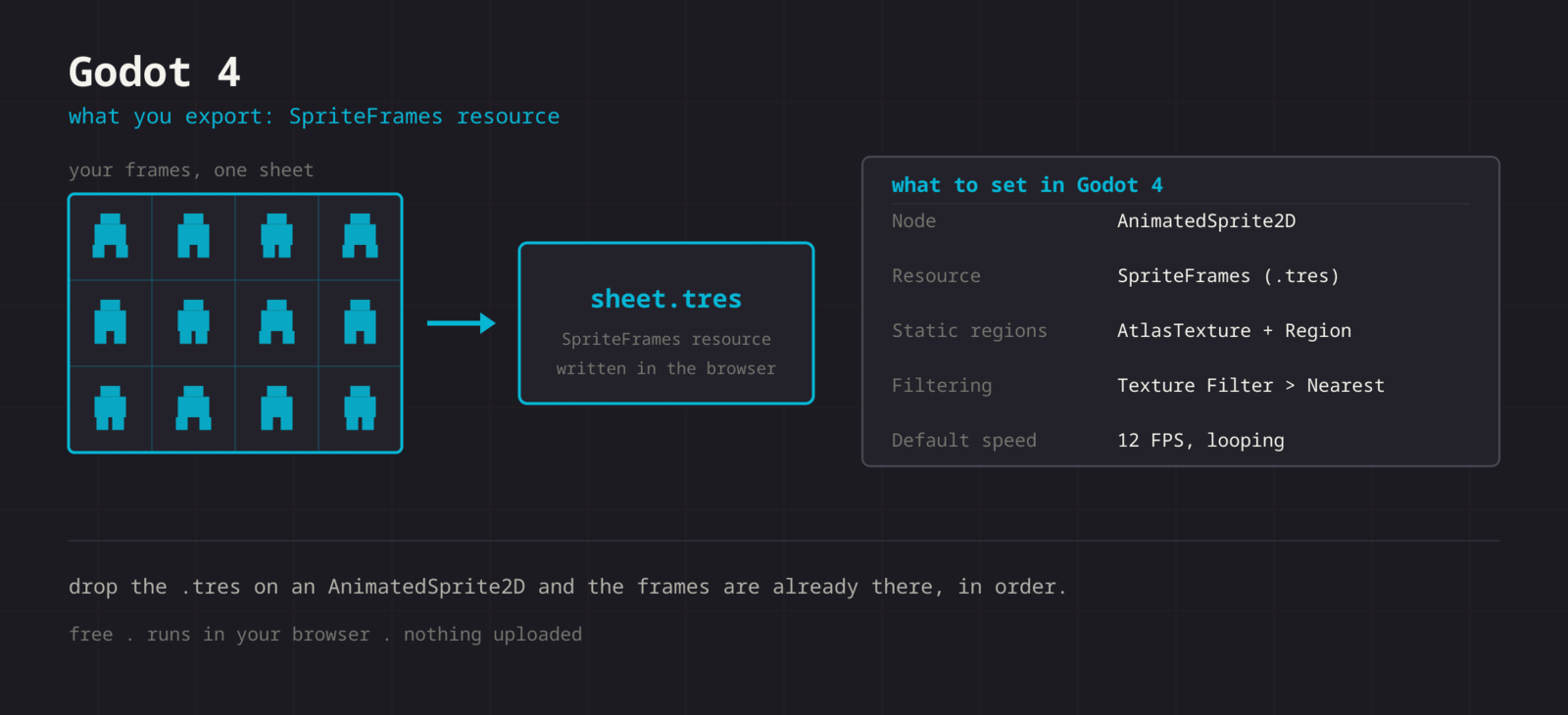
The Godot export writes a real SpriteFrames resource: one AtlasTexture sub-resource per frame with its exact region rect, wrapped in a looping animation at 12 FPS. Put the .tres next to your PNG in the project (the resource references the image by name), assign it to an AnimatedSprite2D, and skip the whole Add frames from Sprite Sheet dialog.
Getting the sheet into Godot
- 1
Export both files
Export the PNG, then use Format > Godot to export the .tres. Keep the same file name stem so the resource resolves the texture.
- 2
Drop them in the project
Copy both into your Godot project folder. Godot imports them on focus. The .tres path to the texture is res:// relative, so keep them side by side.
- 3
Assign the resource
Add an AnimatedSprite2D node and drag the .tres into its Sprite Frames property. The frames are already sliced and ordered.
- 4
Turn off filtering
Project Settings > Rendering > Textures > Canvas Textures > Default Texture Filter > Nearest. Set once, applies project-wide.
- 5
Play it
Call play() from code, or tick Autoplay on the default animation in the inspector.
@onready var sprite := $AnimatedSprite2D

func _ready() -> void:
    sprite.play("default")

func run() -> void:
sprite.play("walk")| Setting | Godot value |
|---|---|
| Node | AnimatedSprite2D |
| Resource | SpriteFrames (.tres) |
| Static regions | AtlasTexture + Region rect |
| Filtering | Default Texture Filter > Nearest |
| Default speed | 12 FPS, looping |
Real .tres output
Not a JSON blob you have to convert. A SpriteFrames resource Godot 4 opens directly, with one AtlasTexture per frame.
Exact region rects
Each frame carries its own Rect2, so nothing depends on you retyping the grid into the SpriteFrames dialog.
Loop preset
The exported animation is named default, loops, and runs at 12 FPS. Change either in the inspector.
AtlasTexture path too
Need one static frame instead of an animation? Use the PNG as an AtlasTexture atlas and set the region by hand.
When the sheet fights Godot
The node shows the whole sheet as a single frame
- Cause
- The PNG was assigned to a Sprite2D texture, or to the Texture property of an AnimatedSprite2D, instead of the .tres going into Sprite Frames.
- Fix
- Use an AnimatedSprite2D node and drag the .tres onto its Sprite Frames property. The regions live in the resource, so the raw PNG on its own has no frame information at all.
A broken-texture icon appears after reorganising the project
- Cause
- The resource records the image as an ext_resource path relative to res://. Moving or renaming the PNG leaves that path pointing at nothing.
- Fix
- Keep the pair in one folder, or open the .tres in a text editor and correct the path string. Re-exporting both files with the same stem also fixes it.
The animation runs at the wrong speed
- Cause
- The exported animation is fixed at 12 FPS and looping, which is a starting point rather than your timing.
- Fix
- Change Speed in the SpriteFrames panel for a permanent value, or set speed_scale on the node at runtime when the same animation needs to run faster while sprinting.
A thin line of the next frame shows along a sprite edge
- Cause
- Linear filtering samples half a pixel outside the region, and with no gutter that half pixel belongs to the neighbouring frame.
- Fix
- Set Default Texture Filter to Nearest, and if the sprite is scaled non-uniformly, export with a one or two pixel gutter so there is empty space for the sampler to reach into.
Pixel art shimmers as the camera moves
- Cause
- The camera is at a fractional position, so every sprite is rasterised on a different sub-pixel offset each frame.
- Fix
- Enable Snap 2D Transforms To Pixel and Snap 2D Vertices To Pixel under Project Settings, Rendering, 2D. This is a camera problem, not a sheet problem, so no re-export is needed.
The sprite is offset from its collision shape
- Cause
- AnimatedSprite2D is centred by default, and a sheet whose cells are larger than the art shifts the visible pixels away from the node origin.
- Fix
- Keep cells uniform and align the art consistently inside them, then adjust Offset on the node once rather than nudging the CollisionShape2D per animation.
The whole animation is one frame too long or short
- Cause
- The frame count in the resource comes from the cells you exported, so an empty trailing cell in the grid becomes a blank frame at the end of the loop.
- Fix
- Delete unused cells before exporting rather than leaving them empty. In the SpriteFrames panel you can also select the blank frame and remove it, but the next export will bring it back.
What changes between Godot versions
- Godot 4.x
- The resource is written in Godot 4 format 3 and opens in every 4.x release. AnimatedSprite2D, AtlasTexture regions, and the SpriteFrames panel are stable across the 4 series.
- Godot 3.x
- A format 3 resource will not load. Take the PNG instead and use the SpriteFrames panel with Add Frames From Sprite Sheet, entering your row and column counts by hand.
- Static sprites and UI
- For a single frame rather than an animation, use the PNG as an AtlasTexture and set the region rect. TextureRect and TextureButton both accept an AtlasTexture, so one sheet can also serve your interface icons.
- Tilemaps
- A TileSet needs a different asset, not SpriteFrames. Export the sheet with zero gutter and build the TileSet from the PNG in the TileSet editor, or take the Tiled .tsj route and import that.
- Web exports
- A SpriteFrames resource costs nothing extra on the web target, since the regions are data rather than separate images. What does matter is the total texture size, so per-animation sheets keep the initial download smaller than one combined atlas.
Want the long version? Read the engine import guide, or see every export format.
Export for Godot
Pack your frames in the browser. What you walk away with: SpriteFrames resource (.tres), ready for Godot.