Sprite Sheet Generator for PixiJS
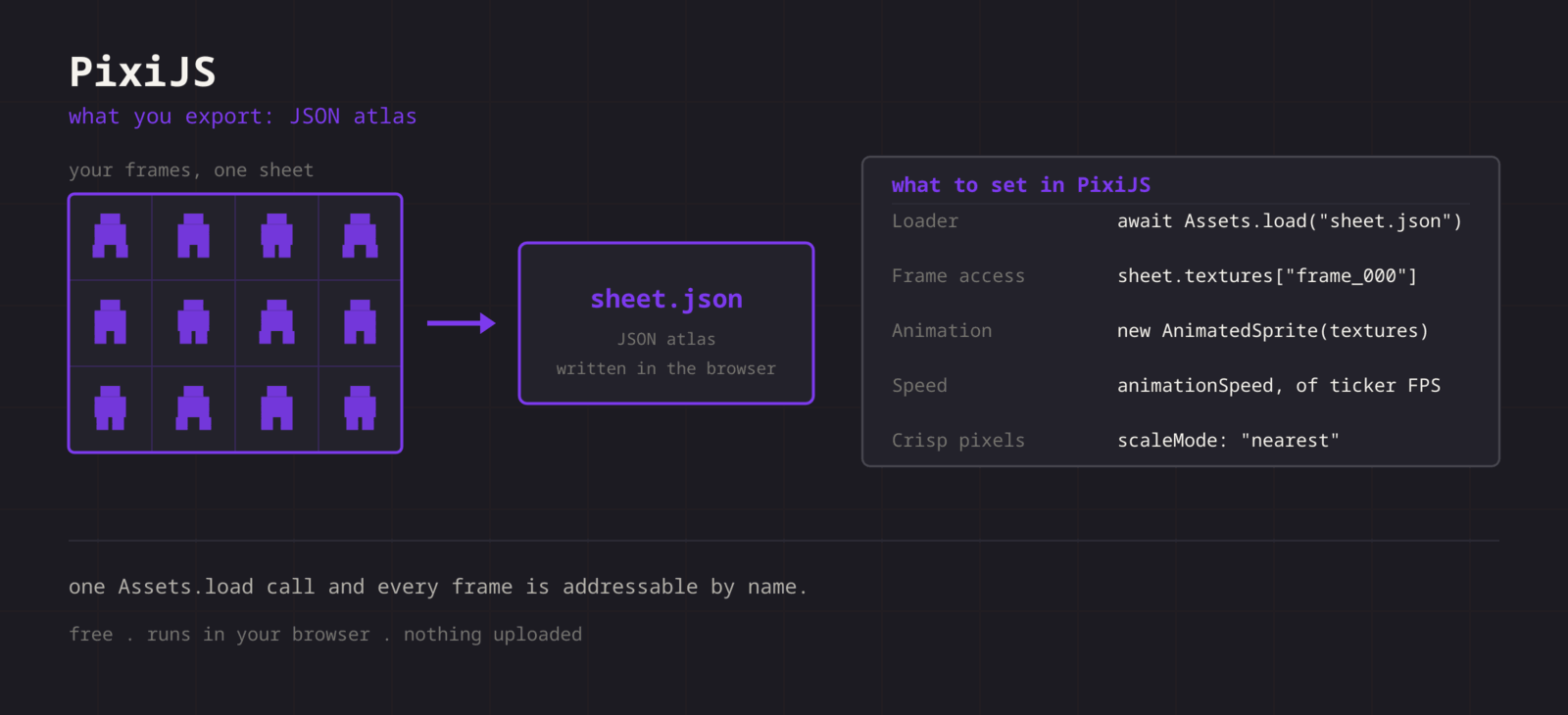
Export a TexturePacker-format JSON atlas that PixiJS parses natively. Assets.load gives you a Spritesheet with every texture already cut.
Format menu
Phaser / PixiJS
JSON atlas (TexturePacker format)
PixiJS reads the same TexturePacker JSON that Phaser does. Assets.load on the JSON returns a parsed Spritesheet whose textures map is keyed by frame name, so an AnimatedSprite is one line away. Trimmed frames keep their original footprint through spriteSourceSize.
Getting the sheet into PixiJS
- 1
Export the PNG and the JSON
Export the sheet as PNG, then Format > Phaser / PixiJS for the atlas. The JSON references the PNG by name, so keep them together.
- 2
Load the atlas
Await Assets.load on the JSON path. Pixi fetches the referenced PNG for you and returns a Spritesheet.
- 3
Build the AnimatedSprite
Pass the ordered textures into new AnimatedSprite. Frames are keyed frame_000 upward, so Object.values keeps export order.
- 4
Keep pixels crisp
Set the texture scale mode to nearest, or set TextureSource.defaultOptions.scaleMode to "nearest" before loading.
import { Assets, AnimatedSprite, TextureSource } from 'pixi.js';

TextureSource.defaultOptions.scaleMode = 'nearest';

const sheet = await Assets.load('hero.json');

const hero = new AnimatedSprite(Object.values(sheet.textures));
hero.animationSpeed = 0.2; // ~12 fps at 60 fps ticker
hero.play();

app.stage.addChild(hero);| Setting | PixiJS value |
|---|---|
| Loader | await Assets.load("sheet.json") |
| Frame access | sheet.textures["frame_000"] |
| Animation | new AnimatedSprite(textures) |
| Speed | animationSpeed, fraction of ticker FPS |
| Crisp pixels | scaleMode: "nearest" |
Parsed on load
Pixi detects the TexturePacker shape and builds the Spritesheet itself. No manual Rectangle maths.
Stable frame order
Names are zero-padded (frame_000, frame_001), so insertion order and sort order agree.
Trim aware
Trimmed frames carry sourceSize, so Pixi restores the original bounds and your anchors stay put.
Web-native output
A PNG and a JSON. Serve them from any static host next to your bundle.
When the sheet fights PixiJS
Assets.load returns a texture rather than a Spritesheet
- Cause
- The PNG path was passed instead of the JSON path. Pixi decides what to build from the file it is given.
- Fix
- Load the .json. Pixi parses it, fetches the referenced image itself, and hands back a Spritesheet whose textures map is keyed by frame name.
The AnimatedSprite runs at the wrong speed
- Cause
- animationSpeed is a multiplier on the shared ticker, not a frame rate. Setting it to 12 advances twelve frames per tick.
- Fix
- Divide your target rate by the ticker rate: 12 frames per second on a 60 FPS ticker is 0.2. If the ticker is capped elsewhere, compute it from app.ticker.maxFPS rather than assuming 60.
Textures are still smoothed after setting a nearest scale mode
- Cause
- The scale mode was set after the texture was uploaded, so the sampler state was already baked.
- Fix
- Set TextureSource.defaultOptions.scaleMode to nearest before the first Assets.load call. To fix one existing texture, set scaleMode on its source and let Pixi update the sampler.
Frames come out in an unexpected order
- Cause
- Object.values on the textures map follows key insertion order, which only matches playback order because the names are zero padded to a fixed width.
- Fix
- Keep the padded names the export writes. If you rename frames, sort the keys with a numeric comparator before building the AnimatedSprite rather than relying on object order.
Anchors move between frames of one animation
- Cause
- Trimmed frames have different sizes, and an anchor is a fraction of the frame, so the same anchor value lands somewhere different on each one.
- Fix
- The atlas carries sourceSize so Pixi restores the original bounds. Set the anchor once on the AnimatedSprite and avoid setting per-texture pivots.
Code that worked on Pixi 7 throws on Pixi 8
- Cause
- The old Loader was removed and several classes moved, but the atlas format did not change.
- Fix
- Replace Loader usage with await Assets.load and read textures from the returned Spritesheet. The JSON and PNG stay exactly as exported.
The sprite disappears when the animation loops
- Cause
- A texture was destroyed with the sprite, or the Spritesheet was garbage collected because nothing held a reference to it after loading.
- Fix
- Keep the Spritesheet in a variable that lives as long as the sprites using it, and pass destroy options explicitly when removing a sprite so shared textures are not torn down with it.
The first play stutters on a large sheet
- Cause
- The texture is uploaded to the GPU when it is first drawn, which happens on the frame the animation starts.
- Fix
- Warm the texture during a loading screen by drawing the sprite once off screen, or call the renderer prepare plugin on the Spritesheet before gameplay begins.
What changes between PixiJS versions
- PixiJS v8
- Assets.load parses the TexturePacker shape and returns a Spritesheet. TextureSource.defaultOptions.scaleMode is the place to set nearest sampling globally before anything loads.
- PixiJS v7 and v6
- The same JSON parses through the older Loader API, and textures are keyed identically. Only the loading calls and the scale mode constants differ, so a v6 tutorial still applies to the file itself.
- React and framework wrappers
- Wrappers such as react-pixi sit on top of the same Spritesheet object, so load the atlas once outside the component tree and pass the textures down as props rather than loading per render.
- One atlas, two frameworks
- Because Phaser reads the same format, a single exported pair can serve a Phaser prototype and a PixiJS build with no conversion. That is why the format entry is labelled for both.
- Web workers and preloading
- Assets.load can run parsing off the main thread, so a large atlas does not block the first frame. Register the bundle up front and await it behind a loading screen rather than loading during gameplay.
Want the long version? Read the engine import guide, or see every export format.
Export for PixiJS
Pack your frames in the browser. What you walk away with: JSON atlas (TexturePacker format), ready for PixiJS.