Pixel art sprites for Stardew Valley mods
Browse sheets other people drew and released for reuse, rearrange one into the Stardew NPC layout, and load it with Content Patcher. Downloads are free and need no account.
Recent sheets that fit Stardew Valley
The latest uploads with frames no bigger than 32x32. None of it was drawn for Stardew specifically, so look for a 16x32 or 16x16 badge if you want to skip resizing.


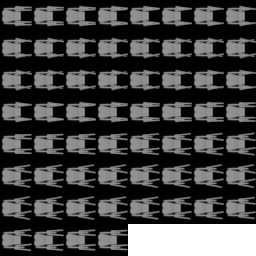
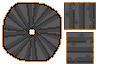
Stardew Valley sprite sizes
- NPC overworld sprite
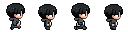
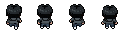
- 16x32 per frame, 4 frames per row (64px wide)
- NPC row order
- Down, right, up, left
- Portraits
- 64x64 per expression, 2 per row
- Small animals and items
- 16x16
- Mod framework
- SMAPI + Content Patcher
content.json
{
  "Format": "2.0.0",
  "Changes": [
    {
      "Action": "EditImage",
      "Target": "Characters/Abigail",
      "FromFile": "assets/abigail.png"
    }
  ]
}
Load a gallery sheet with Content Patcher
- 1Open the gallery and look for sheets with a 16x32 or 16x16 badge. Those drop into Stardew without resizing.
- 2Click Open in Editor. Set Columns to 4 and turn on Force Size at 16x32 so every cell matches the NPC grid.
- 3Order the frames down, right, up, left, four per row. Drag frames to swap them.
- 4Export a PNG and save it as assets/yourname.png in your [CP] mod folder.
- 5Point Content Patcher at it with an EditImage patch, like the one below.
Common Stardew sprite problems
- The NPC walks the wrong way.
- The rows are in the wrong order. Stardew reads row 1 as walking down, then right, up and left. Reorder the frames in the editor and export again.
- The head is cut off or the feet float.
- The frames are not 16x32. Turn on Force Size at 16x32 and keep the feet on the bottom row of each cell.
- Another mod replaces your sprite.
- Two mods used Load on the same target, and only one can win. EditImage patches on top instead, which is why the example uses it.
- SMAPI says the content pack is missing a dependency.
- manifest.json needs "ContentPackFor": { "UniqueID": "Pathoschild.ContentPatcher" } and Content Patcher has to be installed.
Using gallery art in a Nexus upload
Nexus asks every mod page to state its asset permissions. For gallery art the answer is simple: the uploader released it for anyone to reuse, in free or paid work, and credit is optional.
Leave out anything traced from Stardew itself or another game. An uploader cannot give away art they did not make, and a rip can get your mod page reported.
Read the termsStardew Valley modding questions
Find a sprite for your next NPC
Open any sheet in the editor and rearrange it into the 16x32 grid before you download.