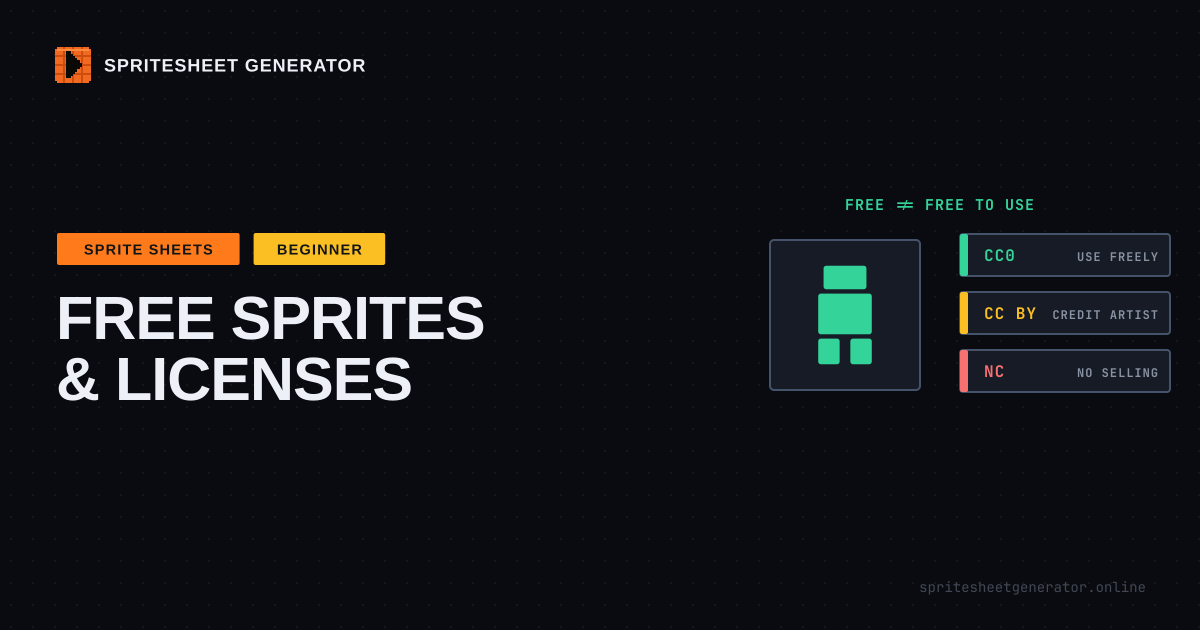
Free to download is not the same as free to use. Before a sprite sheet goes into your game, find its license. CC0 means do anything, no credit needed. CC BY means credit the artist. CC BY-SA means credit them and share your changes to that art under the same license. NC means no commercial use, which rules out selling the game. Itch.io packs usually have a custom license, so read it. Ripped sprites from commercial games are never free to ship. Keep a credits file from day one, and when you mix packs, fix the palette and the pixel scale so they look like one game.
This is practical information, not legal advice. If real money or a publisher deal depends on it, ask a lawyer or ask the artist.
Free to Download Is Not Free to Use
Every sprite sheet you find online is owned by somebody. When an artist shares one for free, they attach a license that says what you are allowed to do with it. No license at all does not mean "public domain". It means all rights reserved: you can look at it, and that is it.
Most of the time the license is generous. Plenty of artists share work precisely because they want it in games. But the terms vary a lot, and the two minutes it takes to check them is far cheaper than ripping art out of a finished game because a store or a publisher asked where it came from.
The Licenses You Will Actually Run Into
| License | Credit required? | Commercial use? | Changes must be shared? | In plain words |
|---|---|---|---|---|
| CC0 | No | Yes | No | Public domain in all but name. Do anything |
| CC BY | Yes | Yes | No | Use it however you like, credit the artist |
| OGA-BY | Yes | Yes | No | Like CC BY 3.0, minus the clause about DRM. Made for games on locked platforms |
| CC BY-SA | Yes | Yes | Yes | Credit, and your edits to the art go out under the same license |
| GPL | Yes | Yes | Yes | A software license. Awkward for art, and its reach into your game is debated |
| Anything with NC | Yes | No | Depends | Non-commercial. No selling the game, and probably no ads either |
| Custom (itch.io etc.) | Read it | Usually | Usually no | Usually "use in any game, do not resell the assets". Check every pack |
A few of those deserve more than a table row.
CC0 Is the Easy One
CC0 is the artist waiving every right they can. You can use the art in a commercial game, edit it, recolor it, and never mention where it came from. Crediting the artist anyway is good manners, and it costs one line in your credits screen.
CC BY Means Credit, Properly
Attribution under Creative Commons has a shape. You name the artist, the title of the work, the license, and link to the source, and you say if you changed it. A credits screen line like this covers it:
"Forest Tileset" by Jane Doe (opengameart.org/content/forest-tileset),
CC BY 4.0, recolored.
Put it where players can find it: a credits screen, a credits file shipped with the game, or the store page. "Assets from the internet" does not count.
The Creative Commons licenses also say you cannot add technical restrictions that stop people from exercising the license. Some developers read that as a problem for consoles and DRM-protected stores, which is why OpenGameArt created OGA-BY: the same deal, without that clause. If you are headed to a console, prefer CC0 or OGA-BY art.
CC BY-SA Needs Thought
Share-alike means that if you modify the art, your modified version must be released under CC BY-SA too. For a recolored sprite sheet that is easy to live with: publish the edited sheet somewhere with the license. Whether share-alike also reaches the rest of your game is the part people argue about. Creative Commons draws a line between adapting a work and simply including it, unchanged, in a larger collection, but where a game falls on that line is not settled. If that argument makes you nervous, you probably want to avoid BY-SA for anything core to your game.
The Liberated Pixel Cup art, and the popular character generator built on it, is mostly dual-licensed CC BY-SA 3.0 and GPL 3.0, and asks you to credit every contributor listed in its credits file. It is a huge, consistent library. It also comes with exactly these obligations.
NC Is a Trap for Anything You Might Sell
Non-commercial sounds harmless when you are making a jam game. Then the jam game does well, and you want to put it on Steam for three dollars. You cannot, not with NC art in it. Ads and donations are a grey zone too. If there is any chance the project makes money, treat NC art as placeholder only.
Where to Find Free Sprite Sheets
Kenney (kenney.nl) is the first stop for most people, and for good reason. Thousands of sprites, tiles, UI pieces, and sounds, all CC0, all in consistent styles within each pack. If you need a placeholder that might quietly become the final art, start there.
OpenGameArt (opengameart.org) is the big community library. The quality and the licenses both vary from submission to submission, so filter by license when you search and read each page. A lot of it is CC0 or CC BY. Some of it is GPL or BY-SA.
itch.io (itch.io/game-assets/free) has a huge number of free and pay-what-you-want packs from individual artists, many of them excellent. Almost all use a custom license written on the pack page. The common version lets you use the art in commercial games and forbids redistributing or reselling the assets themselves. Some forbid NFTs or AI training. Some ask for credit. Read the page, and save a copy of the license text with the files, because pack pages change.
Our own gallery has sprite sheets shared by people using this tool, free to download and open straight in the editor.
The Spriters Resource and similar sites host sprites ripped from commercial games. They are a fantastic place to study how professional animators handled a walk cycle in 16 frames. They are not a source of art for a game you release. Those sprites belong to Nintendo, Capcom, and the rest, and fan games built on them get takedown notices with depressing regularity.
Keep a Credits File From Day One
The time to record where art came from is the moment you download it, not the week before launch when you are trying to remember which of three forest tilesets you used.
A plain text or markdown file in your project is enough:
## Art
- player.png - "Tiny Knight" by Jane Doe
  https://janedoe.itch.io/tiny-knight
  License: custom, commercial use OK, credit appreciated (copy in licenses/tiny-knight.txt)
  Changes: recolored, cropped to 32x32 cells

- tiles.png - "Forest Tileset" by John Roe
  https://opengameart.org/content/...
  License: CC0
It takes thirty seconds per asset. It also turns your credits screen into a copy-paste job.
Making Mixed Packs Look Like One Game
The other problem with free art is that it comes from different hands. A Kenney tileset, a character from itch.io, and an effect from OpenGameArt can each look great and still look wrong together. Three things cause most of it.
Pixel Scale
If your tiles are 16x16 and your character is a 32x32 sprite drawn at the same on-screen size, the character's pixels are half the size of everything around it. The eye catches that instantly, even when it cannot say what is wrong. Pick one pixel density for the whole game and stick to art drawn at it. The pixel-perfect scaling guide explains why mixing scales looks off.
Palette
Different artists pick different colors. One pack's greens lean yellow, another's lean blue, one uses pure black outlines and the other uses dark purple. Pulling everything onto one palette is the strongest single fix. The Recolor tab can shift hue, saturation, and brightness across a whole sheet at once, or map individual colors to new ones. The palette guide covers how to choose a palette that holds together.
Cell Size and Layout
Free sheets come in every layout imaginable: 48x48 cells, frames with a 1px gap, irregular packed atlases with no metadata. Open them in the editor and the importer can slice an even grid, detect sprites automatically when there is no grid, or read the atlas file if the pack shipped one. Then lay the frames back out at the cell size your game uses and export in your engine's format. Check the license first if you plan to redistribute the edited sheet.
Before You Ship: A Checklist
- Every asset has a license, and you have a copy of it
- No NC art if the game is sold, has ads, or might ever do either
- Every CC BY, OGA-BY, and BY-SA asset is credited by name, title, source, and license
- Modified BY-SA art is published under BY-SA
- No ripped sprites from commercial games
- Custom license terms (no resale, no AI, credit required) are respected
- Credits are visible in the game or on the store page
Found a sheet? Slice it, recolor it, export it for your engine. Open the editor
Try it in the editor
Everything in this guide runs in the browser. No install, no account, and your images never leave your device.